Best jQuery Menus Plugins & Tutorials with Demo

    Shifter : jQuery plugin for simple slide-out mobile navigation

    Shifter : jQuery plugin for simple slide-out mobile navigation

    Shifter is a  jQuery plugin for simple slide-out mobile navigation.Shifter works by checking for target elements in the DOM and binding events to them. This allows you to markup and style pages anyway you’d like, but at a minimum you need three specifically classed elements.

    Square Menu using jQuery & CSS3

    Square Menu using jQuery & CSS3

    Square menu, as you can see from the name, is a plugin that let you add a similar animated menu that you see on the new Square website. I’ve also added additional animations, add various browsers support and provide options for you to play around with.

    jQuery UI Context Menu

    jQuery UI Context Menu

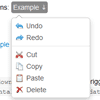
    jQuery plugin that turns a jQueryUI menu widget into a context menu.

    • Define menus from <ul> element or definition list (i.e. [{title: "Paste", cmd: "paste"}, ...]).
    • Themable using jQuery ThemeRoller.
    • Supports delegation (i.e. can be bound to elements that don’t exist at the time the context menu is initialized).
    • Exposes events from jQueryUI menu: blur, create, focus, select.
    • Optional support for touch devices.

    Mashable Style Ajax Drop Down Menu using PHP, Mysql & jQuery

    Mashable Style Ajax Drop Down Menu using PHP, Mysql & jQuery

    Everyone knows that Mashable is the world’s largest independent website dedicated to news, information, technology and resources for the connected generation. Now I am going to explain you about how to create mashable style dynamic drop down menu using Php, Mysql & jQuery Ajax.In mashable, you can able to see all posts from the category from their header drop down menu.

    Easy As Pie – jQuery CSS3 Responsive Navigation

    Easy As Pie - jQuery CSS3 Responsive Navigation

    An easy to use, CSS3/jQuery Responsive Navigation built on the Superfish menu and HTML5. This was developed in part because of the lack of nested responsive menus.

    Included:

    • Modernizr for IE6-8
    • Superfish Menu
    • HoverIntent plugin
    • Data image fallback for lack of png support for IE7
    • Arrow image for IE6 menus

    CSS3 Perspective Page View Navigation

    CSS3 Perspective Page View Navigation

    Some effects for a perspective page view navigation where the page itself gets pushed away in 3D to reveal a menu or other items. This navigation idea is seen in mobile app design and we wanted to explore some more effects.

    Pushing the site content aside to reveal a navigation has certainly become a trend for mobile navigations. The approach reflects some practices in app design where “views” are shown with animations. We’ve experimented a bit and we’ve come up with a small set of effects that take the page and move it in 3D to reveal a navigation (or some other content if you like). What’s nice about this is that we literally put the site into perspective, allowing for an interesting view on the content and the navigation possibilities.

    jQuery Bootstrap-style Dropdowns

    jQuery Bootstrap-style Dropdowns

    Bootstrap-style dropdowns in jQuery with some added features and no dependencies.

    One of my favorite Boostrap plugins is dropdowns, but I had a bit of difficulty getting started with them. The docs say you can apply a dropdown to nearly any element, but they really seem to work best with Bootstrap’s navbar, tab, and pill components. Since I was retrofitting an app that was around long before Bootstrap, this wasn’t going to work for me. That and I was hoping to get a scrollable dropdown (with tips!) and a few other features out of the deal. Thus, this plugin was born.

    headroom.js : Hide your header until you need it

    headroom.js : Hide your header until you need it

    Headroom.js is a lightweight, high-performance JS widget (with no dependencies!) that allows you to react to the user’s scroll. The header on demo site is a living example, it slides out of view when scrolling down and slides back in when scrolling up.Headroom.js allows you to bring elements into view when appropriate, and give focus to your content the rest of the time.

    jQuery CSS3 Slider Timeline Menu

    jQuery CSS3 Slider Timeline Menu

    Learn to create a slider timeline menu with CSS3 animations. It is a fixed navigation that smooth scrolls to new sections with a cool slider effect.You can click on each link as well and it will smooth scroll along with adjusting the dial to the selected section. I liked this idea and took it a step further with giving each section a color. The slider background color will fade to the selected section’s color.