

jRMenuMore is a jQuery plugin for Responsive Menu or Navigation Bar with More option.
Best jQuery Menus Plugins & Tutorials with Demo
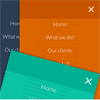
FH Mega Menu – jQuery Bootstrap 3 Mega Menu Plugin

The FH Mega Menu is a jQuery based Bootstrap 3.0+ mega menu plugin compatible with all mobile devices and modern web browsers.
Features:
- 100% Responsive Layout Design
- 100% Twitter Bootstrap 3.0+ Based
- Unlimited Color Schemes
- 3 Easy Step to Installation to any Web Projects
- Detailed Documentation for “How to”
- Flexible and 100% Bootstrap Columns Grid
- Font Awesome Icons Included
- Responsive Video and Google Map Integrated (Fitdivjs)
Pushy : jQuery Off-Canvas Navigation Menu

Pushy is a jquery responsive off-canvas navigation menu using CSS transforms & transitions.
Features:
- Uses CSS transforms & transitions.
- Smooth performance on mobile devices.
- jQuery animation fallback for IE 7 – 9.
- Menu closes when a link is selected.
- Menu closes when the site overlay is selected.
- It’s responsive!
Side Navigation Menu with CSS3

Side Navigation Menu with CSS3 transition property & without JS.We have a <nav> tag on the left of the screen with position: fixed;, a width and a fixed height.
Then we have a list with <svg> images and hidden links with display: none;, when we do a :hover over <nav> tag we added more with to the <nav> and a display: block; so that the links appear.
UberPanel – jQuery Sliding Panel Plugin for WordPress

UberPanel is a plugin which adds a widgetised sliding panel to any WordPress theme. It provides you with an unobtrusive way to add additional space to your theme.
Features:
- Unobtrusively adds more space to your WordPress theme
- Supports WordPress widgets (four horizontal columns and one vertical)
- Choose from the left (off-canvas) panel or the top position
- Choose colours for the button & border, or the optional pre-defined style
- Works beautifully on all modern devices
Slinky.js : jQuery plugin for Scrolling navigation component for web apps
Slinky.js is a jQuery plugin for creating beautiful scrolling navigation lists with stacking headers.Create beautiful scrolling driven navigation lists with stacking headers that remain visible at all times.
Features:
- Smooth scrolling by disabling pointer events
- Lightweight at around 1KB minified
- Refreshes on window resize and DOM mutation
- Compatible with the latest version of your favorite browser

Smart (Auto-Hiding) Website Header & Footer using jQuery

There are plenty of reasons for using a sticky header navigation in your website. It provides easy access for top-priority links, plus a way back to the homepage from anywhere on the site. However problems may arise when you have a navigation bar which blocks some of the page content.
In this tutorial I want to demonstrate how we can build a locking header bar which will auto-hide itself after scrolling down the page. Also when scrolling to the very bottom we will display a small footer which includes many of the same nav links.


