

A full page menu, that replaces the current content by pushing it off the screen with CSS3 and jQuery.
Best jQuery Menus Plugins & Tutorials with Demo
Bouncy Navigation with CSS3 & jQuery
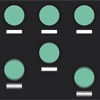
A full-screen navigation, with floating menu items.There are cases when you want to present the user with a choice, with the focus of the web page being the different options. Whether it is a modal navigation, or a list of categories, todays nugget gets you covered!
We used CSS animations and a pinch of jQuery to animate navigation items, and let them bounce in and out the screen.
OpenFooter : jQuery Responsive Full Screen Footer

OpenFooter jQuery is a small script that is used to create the unique responsive footer with power features. With this plugin you can make a footer with many kinds of content (Text, images/photos, videos/iframes…) and you can add content as much as you want. Additionally, this plugin also allow you expand the footer to fullscreen for easier view.
MonoList : jQuery List Grouping & Navigation
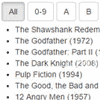
MonoList – Plugin for creating navigation by list and by pretty much everything else.Do you have a long list of HTML elements? Would you like to group it by item’s first letter and allow users to easily navigate by it? With MonoList you can do it.
- Easy integration with CSS frameworks
- Set initial letter selection
- Dealing with prefixes
- Multilingual support
- Data navigation
- AJAX support
jQuery Multi-level Dropdown Menu
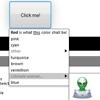
Multi-level dropdown menu for buttons. Tree dropdown menu with native look and feel, user-defined item rendering and unlimited items and depth.Supports any HTML for items, multiple combined sync/async datasources.
Features:
- Render any HTML content
- Unlimited items and submenus
- Styling matches operating system/browser look
- Optional scrollbar
- Submenus optionally selectable
- Regenerate items every time
- Short and sweet; just over 200 lines of cleanly written code
Dash : Responsive Bootstrap Dashboard Navbar

Dash is responsive Bootstrap dashboard navbar / menu. This item has two navbars, one for top and the other for left. The mobile swipe feature has been added for mobile devices.
Features:
- Botstrap 3
- Responsive
- Dashboard style
- Mobile friendly with swipe feature
- Both default Bootstrap icons and font awesome
- Coded in HTML5 and LESS for CSS
- Two effects: push and overlay
Spark: A WordPress Menu and Info Pane Plugin
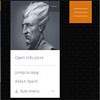
Spark is also delightfully animated, which makes it a memorable element to add to any WordPress website.Spark can be used as your standard menu, a secondary menu, a nifty mobile-only menu, or even utilized as a promotional tool. You can customize all colors, change positioning options, hide the menu button (in which case the sized-down image will act as the menu activator), add any image you’d like, add multi-level accordion menus and so on.We’ve also included a full-screen info pane that can be used to display any extra content you need.
Fixed Navigation Transition with CSS3 & jQuery

Fixed headers are a must for long pages and menus that need to be seen all the time. The transition between an inline menu and a fixed menu is an added effect that really makes your navigation stand out. I have made two different transition effects: A flip effect and an arrow ribbon effect.


