Best jQuery Menus Plugins & Tutorials with Demo

    jQuery Progress Tracker

    jQuery Progress Tracker

    A small (2KB) jQuery plugin that creates a fixed progress indicator based on your content and allows linking between them.

    Ultra Navigation – Responsive Bootstrap Sidebar
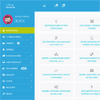
    Ultra Navigation - Responsive Bootstrap Sidebar
    • Fully Responsive and Bootstrap compatible.
    • Collapsible sidebar on toggle click. You can also set your custom breakpoints.
    • Awesome looks (Available in 5 skins and colors).
    • Wide View support. (Full Screen sidebar)
    • Vector Icons (font Awesome 4.3.0 included)
    • Show on Hover Mode implemented with a single option.
    • Fixed Menu variation (Slimscroll Integrated).
    • Content Styles. (Shrink, Push and Overlay mode)
    • JQUERY UI Animations (Drop, Pulsate, Clip, Explode etc..)
    • OFF-CANVAS Ready (Using options)

    Sliiide : jQuery Sliding Menu

    Sliiide : jQuery Sliding Menu

    The easiest way to create a sliding menu with jQuery.You have a div (probably a nav menu or a side bar) that you want to animate with a sliding effect from outside the viewport to inside the viewport.

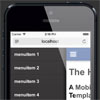
    Mobile Menu Hamburger with jQuery & CSS

    Mobile Menu Hamburger with jQuery & CSS

    A hamburger menu for mobile websites. A demo how to create an up-to-date menu for a mobile website in a typical hamburger style.This Template is using only CSS and javascript (jQuery)

    contentToggle : jQuery plugin for Content Toggling

    contentToggle : jQuery plugin for Content Toggling

    A jQuery plugin for managing various kind of content toggling.This library help you create cross-platform and accessible (in the meaning of the W3C) content that can be shown and hidden with triggers.

    Bootstrap – Responsive Off Canvas Menu

    Bootstrap - Responsive Off Canvas Menu

    Bootstrap already takes care of showing the .navbar-toggle when it is on the x-small window size.

    I have styled the .navbar-collapse.collapse to be positioned absolute by default. Only in the other media queries am I switching it to relative. Now when someone toggles the .navbar-toggle we are simply adding the .in class and the left css property is being adjusted

    Nested Nav : jQuery Bootstrap Nested Menus

    Nested Nav : jQuery Bootstrap Nested Menus

    A bootstrap mobile menu jQuery plugin for deeply nested menus. Works with Bootstrap 2.3 – 3.+ or any markup that meets minimal, customizable requirements.

    jQuery fatNav : Fullscreen Menu

    jQuery fatNav : Fullscreen Menu

    Chubby fullscreen menu with nice hamburger toggle.

    jQuery In This Post – Easy Post Topics Navigation

    jQuery In This Post - Easy Post Topics Navigation

    When we write our long posts in our blogs it is a best practice to separate the different topics and subtopics by using heading elements (h1, h2, h3 and so on).

    With jQuery In This Post you can do just that, add a awesome navigational bar that show your readers where they are in your post and what is coming next. It also supports comments block, so they can comment to your post as soon as they finish to read it!
    jQuery Slide and Swipe Menu

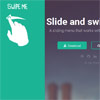
    jQuery Slide and Swipe Menu

    A sliding swipe menu that works with touchSwipe library.This plugin uses CSS3 transform property to move the navigation. That’s why it works smoothly.