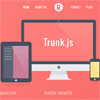
Trunk.js is a responsive web solution for creating better navigation and layouts. It tucks your navigation into the “drawer” on many devices, and while it triggers with jQuery, it moves with CSS for a much smoother effect.
Best jQuery Menus Plugins & Tutorials with Demo
jQuery Instant Responsive Menus with CSS3
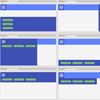
Create different type of menus on the fly without changing the HTML Structure. Just replace CSS class names in the HTML markup to make a horizontal menu or any menu to function like a one page scroll menu, vertical menu, toggle menu, slide out menu, full screen navigation, tabbed menu, dots navigation and much more.
Features:
- One Page Smooth Scroll support
- Customizable CSS3 animation effects (Faster than jQuery Animations)
- Fully Responsive
- Unlimited Color Themes
- Light weight
- Built with CSS3 and improved with some jQuery
- Compatible with bootstrap
uilang.js : UI-focused Programming Language
uilang is a dead simple programming language for web designers. With uilang, you write your code just like plain English, straight into your HTML using a <code> element. uilang’s logic relies on manipulating classes on HTML elements and using these classes in CSS to show, hide, animate and transform elements when a click occurs. This simple logic lets designers create most of the typical user interface behaviours: tabs, popovers, overlays, sliding menus, etc.
Fixed Responsive One Page Nav

Responsive, fixed and touch friendly one page navigation with animated scrolling.
Features:
- Fixed positioned, always visible navigation bar
- Uses vanilla JavaScript, no jQuery required
- Smooth animated scrolling
- Removes 300ms tap delay
- Adds a mask over the content when navigation is open
- Auto highlights current location
- Uses a tiny custom font for icons (only two characters included)
- Closes the navigation when user tap’s outside of it
Page Stack Navigation with CSS3 & JavaScript

A template for a simple page stack navigation based on the Dribbble shot by Ilya Kostin, Stacked navigation.The idea is to show a navigation when clicking on the menu button and transform all pages in 3D and move them to the bottom of the viewport. The next two pages are shown in the back of the current page as a stack. When clicking on a menu item, the respective page comes up.