
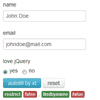
jQuery form auto fill plugin simply autofill an empty form with data.
Best jQuery jSON Plugins & Tutorials with Demo
Alpaca : Easy HTML5 Forms for jQuery

Alpaca is the Easy Forms Engine for jQuery and Twitter Bootstrap.
It is built around JSON schema to keep things simple. Using Alpaca, you can express your forms object model, types, properties and validation logic. Forms rendered with Alpaca provide intuitive interfaces for your users while giving your business an assurance of data compliance.
Alpaca comes pre-configured to work nicely with the following web frameworks:
- jQuery
- Twitter Bootstrap
- jQuery UI
- jQuery Mobile
- Barebones (empty CSS)
The Alpaca library is pre-packaged with controls, wizards, layouts, I18N support and pluggable template engines. We ship with support for jQuery Tmpl, EJS and Handlebars. Documentation and API information is provided so that you can extend Alpaca as you see fit.
JSONViewer – A User Friendly Data Viewer

The best way to visualize data. JSONViewer is a user friendly, easy to use, lightweight, vanilla JS script written in OOP syle. You can use this script to visualize those ugly JSON text files in an interactive pleasant way
Features:
- Select and highlight items (provides an interactive way of seeing what item is currently selected/hovered)
- Depth control for rendering (build JSON tree only to a certain depth and expand members only to a certain deph)
- 4 built-in themes (there are a range of themes you can choose from, both in vertical and horizontal layouts). More themes will be released in the future.
- Customizable (you can customize how the JSONViewer looks and works to a certain level through options passed to the constructor).
- Easy to use (just a line of code to turn some ugly JSON to a beautiful representation).
- Multiple instances on the same page
- Extra feature: JSONPane
- Extensive documentation
- Plain JavaScript written in OOP style (it’s independent of any JS framework out there)
- Works in all major browsers
Facebook Style Embed Image from URL using PHP & jQuery

This article will show you that how to fetch images from various sources like
1. Instagram
2, Pinterest
3. Flickr
4. Twitpic
5. Imgur &
6. Deviantart
Now a days major sites are using this feature to automatically embed images from a url. So I am going to explain you how to get images from url using PHP & jQuery
Alpaca : Easy Forms for jQuery

Alpaca generates forms on-the-fly using JSON schema and configuration to define object models, types, properties, validation logic and layout. Alpaca generates intuitive forms while giving your business the assurance of data compliance.
The Alpaca library is pre-packaged with controls, wizards, layouts, I18N support and pluggable template engines for EJS, Handlerbars and jQuery.tmpl. API Documentation is provided so that you can extend Alpaca as you see fit.
Alpaca helps you to separate your data from your presentation. Design your forms once and have them work across different devices and UI engines without any additional coding.

jQuery Dynatable : HTML5+JSON interactive Table plugin

Dynatable is a funner, semantic, interactive table plugin using jQuery, HTML5, and JSON.
Dynatable does three things:
- Normalize: It normalizes an HTML table into an array of JSON objects, where each JSON object (or record) corresponds to a row in the table.
- Operations: It sorts, filters, and paginates the JSON collection.
- Rendering: It renders the resulting collection from the operations back to the table.
Signature Pad : jQuery plugin Records the Drawn Signature for later regeneration

A jQuery plugin for assisting in the creation of an HTML5 canvas based signature pad. Records the drawn signature in JSON for later regeneration.
Demos :
jQuery Cascading DropDowns

Cascading DropDowns is a jQuery plugin that implements dropdown lists in which contents of one list depends on the selection of another list. The plugin has right panel with items (any html structure), that depend on dropdown selected value and filtered on selection callback. The dropdowns work with json as data source (ajax or javascript array). The right panel items work with ajax or inline html as data source.
Features:
- Works with JSON and AJAX (PHP + SQLite example)
- Supports HTML/DOM data source for the right panel items
- Supports javascript array as data source for dropdowns
- Fully customizable styles
- Works in all major browsers
- Annotated source code
- JSDoc documentation


