
Mr. Data Converter takes CSV or tab-delimited data from a spreadsheet such as Excel and converts it into several web-friendly formats, including JSON and XML.
Best jQuery jSON Plugins & Tutorials with Demo



Television News Ticker with JavaScript & PHP

The Television News Ticker script allows you to generate on your website a news ticker like the ones used by television stations to publish the latest news, election results, sport results, whether warnings, stock quotes, etc.
The news displayed in the news ticker can be retrieved with the provided PHP scripts from a specified RSS feed, from a Twitter account or from a database table. Alternatively the advanced user will be able to manually generate the content of the news based on the exact needs of the publisher by connecting the news ticker with a JSON resource.
Albe Timeline : jQuery Timelines Plugin with JSON Data
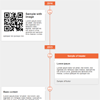
JQuery plugin for timeline, simple but highly customizable. It will help you render a responsive timeline (CSS and HTML) from JSON data.The information will be automatically grouped by year and the series of events will be sorted by date.
In addition, this plugin is able to handle virtually any type of content such as images, videos, audios and more.

jQuery Drag & Drop Email Builder

Simple Drag & Drop Email builder with responsible HTML export.Just build an Email, export him as HTML and send it!.You can install it in any Virtual Hosts you want, like Apache, Nginx, NodeJS and others.
Features:
- Material Design & Icons
- TinyMCE text editor
- Upload your own images
- Import Email
- Export Email as JSON and HTML
- Responsive HTML
- Preview Email
- Less files
jQuery Autocomplete with Json

Autocomplete, or word completion, is a feature in which an application predicts the rest of a word a user is typing. In graphical user interfaces, users can typically press the tab key to accept a suggestion or the down arrow key to accept one of several. Today, I’m showing you how you can create a very simple autocomplete demo with jquery and json code.
amCharts Data Loader with JSON or CSV Files
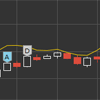
By default all amCharts libraries accept data in JSON format. It needs to be there when the web page loads, defined in-line or loaded via custom code.
This plugin introduces are native wrapper that enables automatic loading of data from external data data sources in CSV and JSON formats.


