Best jQuery jSON Plugins & Tutorials with Demo

    jStorage – store data locally with JavaScript

    jStorage - store data locally with JavaScript

    jStorage is a simple wrapper plugin for Prototype, MooTools and jQuery to cache data (string, numbers, objects, even XML nodes) on browser side. Note that functions, DOM nodes, host objects and such can not be saved.jStorage was first developed under the name of DOMCached but since a lot of features were dropped to make it simpler (like the support for namespaces and such) it was renamed. DOMCached had separate files for working with Prototype and jQuery but jStorage can handle both in one go.

    jStorage makes use of HTML5 local storage where available and userData behavior in Internet Explorer older versions. Webkit SQLite is not supported.

    jQuery.RSS : Easy-to-use RSS plugin for jQuery

    jQuery.RSS : Easy-to-use RSS plugin for jQuery

    An easy-to-use rss plugin for jquery with templating.This plugin can be used to read a RSS feed (via the Google Feed API) and transform it into a custom piece of HTML.Yyou can specify a template in order to transform the json objects into HTML.

    How To Build A Real-Time Commenting System in PHP, Ajax, jQuery, HTML5

    How To Build A Real-Time Commenting System in PHP, Ajax, jQuery, HTML5

    The Web has become increasingly interactive over the years. This trend is set to continue with the next generation of applications driven by the real-time Web. Adding real-time functionality to an application can result in a more interactive and engaging user experience.

    In this tutorial, I’ll show how to convert a basic blog commenting system into a real-time engaging experience where you’ll see a comment made in one browser window “magically” appear in a second window.

    Html5 loader : jQuery preloader plug-in

    Html5 loader : jQuery preloader plug-in

    Now you can preload your HTML 5 page with this nice plug in, passing data via JSON. You can customize it changing colors and style. It can preload video, audio, images and js

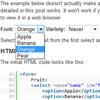
    ddSlick : jQuery plugin for custom Drop down with images

    ddSlick : jQuery plugin for custom Drop down with images

    A free light weight jQuery plugin that allows you to create a custom drop down with images and description.

    What is so cool about this plugin!

    • Adds images and description to otherwise boring drop downs.
    • Allows JSON to populate the drop down options.
    • Converts your HTML select element to ddSlick.
    • Uses Minimum css and no external stylesheets to download.
    • Supports callback functions on selection.
    • Works as good even without images or description!

    elFinder : jQuery File manager for web

    elFinder : jQuery File manager for web

    elFinder is an open-source file manager for web, written in JavaScript using jQuery UI. Creation is inspired by simplicity and convenience of Finder program used in Mac OS X operating system.

    Features:

    • All operations with files and folders on a remote server (copy, move, upload, create folder/file, rename, etc.)
    • High performance server beckend and light client UI
    • Local file system, MySQL, FTP volume storage drivers
    • Background file upload with Drag & Drop HTML5 support
    • Standard methods of file/group selection using mouse or keyboard
    • Move/Copy files with Drag & Drop
    • Archives create/extract (zip, rar, 7z, tar, gzip, bzip2)
    • Quicklook, preview for common file types
    • “Places” for your favorites
    • Calculate directory sizes
    • Thumbnails for image files
    • Easy to integrate with web editors (elRTE, CKEditor, TinyMCE)
    • Flexible configuration of access rights, upload file types, user interface and other
    • Simple client-server API based on JSON

    jQuery Autofill City & State from Zip Code with Ziptastic

    jQuery Autofill City & State from Zip Code with Ziptastic

    Most address fields on web forms ask for city, state, and zip code (or city and post code, outside of the US). But as us nerds often lament, city and state are redundant with zip code. Or at least they can be inferred from a correctly entered zip code. That’s the kind of thing computers are good at. What we need is a proper API to cough up that information for us on demand

    We’re going to watch the zip input for keystrokes. Should the final value after a keystroke be a valid zipcode, we’ll attempt to get the city and state through Ziptastic and reveal the other fields.

    Kartograph : jQuery Interactive map applications without Google Maps

    Kartograph : jQuery Interactive map applications without Google Maps

    Kartograph is a new framework for building interactive map applications without Google Maps or any other mapping service. It was created with the needs of designers and data journalists in mind.

    The core concept of Kartograph is to separate the mapping process in the map generation and map rendering part. The client-side library kartograph.js renders pre-generated maps stored in SVG files. You can chose among hundreds of ready-to-use maps or simply generate your own using kartograph.py, the open source Python SVG map generator.

    $.store : jQuery Extensible localStorage API with Demo

    $.store : jQuery Extensible localStorage API with Demo

    $.store offers an extensible API to persistent data storage on the client side of things. While modern browsers support localStorage, older Internet Explorers offer userData. For even older browsers a window.name fallback is in place.

    New storage drivers and serializers can be easily added to $.store. You could thus create two storage environments, one for persistent storage, and one for session storage. User defined serializers can aid in converting your javascripts objects to JSON and back to objects.

    Load JSON data with jQuery, PHP and MySQL and Demo

    Load JSON data with jQuery, PHP and MySQL and Demo

    This post shows how to populate a select box based on the value of the another, by getting JSON data with jQuery from a PHP script that gets the data from a MySQL database.