

In this in-depth web development tutorial, you’ll learn how to create a usable and web accessible slideshow widget for your site using HTML, CSS, and JavaScript (jQuery). In the process, you’ll see the concept of Progressive Enhancement in action.
Best jQuery Gallery Plugins & Tutorials with Demo
Drag Drop Shopping Cart Using JQuery

There are a lot tutorial about creating drag and drop shopping cart, in this post I want to share my version still with JQuery, but the different is this example only shows the code on the client side, which mean all of data are hardcoded on the html, and counting price and total items will be handle by javascript.
Shuffle Between Images Using JQuery
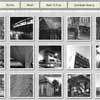
Shuffle mean changing the position between each items position, I continue this shuffling images feature so that can be added to my previous post about creating collage image gallery using jquery, and better can be added with rotating feature too. I’m using the same layout and images position like before.
flickrGallery – jQuery Dynamic Flickr Photo Gallery with Slider

flickrGallery is an open-source photo gallery for jQuery that allows you to dynamically pull images from a photoset in Flickr.
The main functionalities of this gallery are a) to pull in images dynamically from a Flickr photoset, b) to dynamically grow or shrink the gallery area, depending on the size of the images and c) to offer a lightbox effect for small images.

Agile Carousel: A Highly-Flexible jQuery Slideshow Plugin
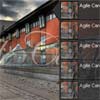
Agile Carousel is a jQuery plugin that allows us to create flexible (both in function and design) slideshows.
The plugin uses JSON for the data format of the slides. So, they can easily be provided remotely and integration with any other system (like CMSs) will be easier.
You can select between “fade” or “slide” as the transition effect, duration of the transitions and intervals between each slide can all be defined.
A jQuery ComicViewer

This is a jQuery plugin to slide through details of an image. It’s made for webcomics, but you can use it for presentation slides or other stuff too. You have to set the coordinates (x, y, width, height) for each detail area and the plugin provides various navigation options to skip through these areas.
PhotoSmart jQuery Gallery Plugin

PhotoSmart is a jQuery based thumbnail gallery. It allows you to create multiple galleries on a single webpage or on multiple webpages. It has a number of different effects that can be applied or changed very quickly. All galleries are created in code from your gallery folder its then just a matter of adding the gallery element in your webpage. There are a number of load effects, mosaic, zig-zag, faderows and a few more.
jQuery Content/Thumbnail slider : jsCarousel V2.0

jsCarousel v2.0 is a jquery slider plugin that slides contents in multi direction. Now it supports both horizontal and vertical orientation, see the screen shot below. jsCarousel v2.0 slider can be used as a feature content slider as well. You can put any kind of contents you want whether images, text, videos, news etc. it’s up to you. One interesting thing about jsCarousel v2.0 slider is that you can make simple image gallery with thumbnail support by using it. jsCarousel v2.0 slider plugin gives you the source of image via callback function, when you click on some image within slider. See Using jsCarousel v2.0 Slider section below to get an idea about using the callback function.
Rotating Image Slider with jQuery

In the following tutorial we will create an asymmetrical image slider with a little twist: when sliding the pictures we will slightly rotate them and delay the sliding of each element. The unusual shape of the slider is created by some elements placement and the use of thick borders. We will also add an autoplay option and the mousewheel functionality.
We’ll use the jQuery 2D Transformation Plugin for rotating the images and the jQuery Mousewheel Plugin by Brandon Aaron for the mousewheel control.


