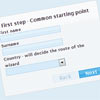
The form wizard plugin is a jQuery plugin which can be used to create wizard like page flows for forms without having to reload the page in between wizard steps.
Best jQuery Forms Plugins & Tutorials with Demo

Dynamically adding form inputs and submit using jQuery

You may find a need to allow the user to dynamically add or remove text inputs from your application. This is relatively easy to do using jQuery and using arrays to submit the form data to a PHP page. This tutorial runs through setting up the form with the controls to add, remove and reset the form fields as well as preparing the form variables to be sent using AJAX.
How To Create a Cute Popup Bar With HTML5, CSS3 and jQuery

We’ll be creating a bar that pops up at the top of a page, and stays above the content (similar to ‘hellobar’). The popup bar was only tested in Chrome and Safari and may not work in other browsers. The bar can be used to display information, for example your latest blog post, to the user.
The way the bar pops out at the top makes sure it’ll be seen. And after the visitor has seen the information, he/she has the option to hide the bar.
Autotab: jQuery auto-tabbing and filter plugin

Autotab is a jQuery plugin that provides auto-tabbing and filtering on text fields in a form. Once the maximum number of characters has been reached within a defined text fields, the focus is automatically set to the defined target of the element. Likewise, clearing out the text field’s content by pressing backspace eventually places the focus on the elements previous target.
Why jQuery Autotab and not some other auto-tab script?
- Auto-tabbing behaves logically, in both tabbing forward and tabbing backwards.
- It allows you to easily change your text in a tab that would otherwise auto-tab away.
- It can filter text fields, ie. restrict a phone number fields to just numbers.
- It’s small, fast, easy to load and built on the powerful jQuery library.