

In this tutorial we will see how to create a simple multi-step signup form using CSS3 and jQuery. To spice up things a bit, we will include progress bar with the form, so the users will be able to see the percentage of form completion.
Best jQuery Forms Plugins & Tutorials with Demo

Zurb jQuery Ajax Upload

We ditch the upload button in favor of a save button and fire the AJAX upload event as soon as a file is selected. The image is processed server side and a thumbnail is loaded onto the existing page. Dosen’t that feel so much better?
We now have a visual representation (imagine that) of the image we selected. This is particularly useful in larger forms when many fields will be submitted with a single action. It allows the user to review the form before pressing save and see what image (or images) they selected.

Create Microsoft Office Minibar with jQuery and CSS3
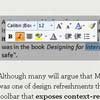
Although many will argue that Microsoft products are an example of a good design, Minibar was one of design refreshments that came out with the Office 2007. It is a variation of a toolbar that exposes context-related functionality. In case of MS Word, context is a text selection. Since Minibar always pops up near the mouse pointer it enables users to quickly perform actions related to a selection.

A Simple and Effective jQuery Dropdown Login Form

There are many way’s in which a user can login, a popular method since the birth of twitter is to have a dropdown form. Today we give away a simple jQuery dropdown login form, it’s easy to implement and lightweight and does everything you need it to. All you have to do is implement and hook it up to your website.
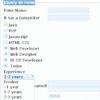
icSelectionBox Select Box – JQuery Plugin

icSelectionBox is replace for select or select multiple html tag but much, much more. You can search inside box, populate elements with ajax(or populate directly passing array of elements in options), execute it modal(or add it to some existing jquery element), use it to select only one or more elements.
jQuery Form Framework – jFormer
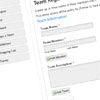
jFormer is a form framework written on top of jQuery that allows you to quickly generate beautiful, standards compliant forms. Leveraging the latest techniques in web design, jFormer helps you create web forms that: validate client-side, validate server-side, and process without changing pages using AJAX.


