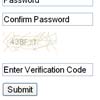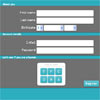
Here is a jQuery example for a captcha in a registration form. In order to pass the “Are you human” test, the user has to drag the numbers from 1 to 6 into order.
Best jQuery Forms Plugins & Tutorials with Demo
Generating Files with jQuery

When building a web application, you oftentimes need to give users the ability to download a piece of data as a file. It could be a backup of configuration settings, reports, or other piece of information that is generated dynamically.
The usual solution to this problem would be to have a dedicated export script that selects from a database and builds the file you need. However, as we will be proving in this short tutorial, there is another way.
Ajax AutoComplete for jQuery
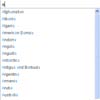
Ajax Autocomplete for jQuery allows you to easily create autocomplete/autosuggest boxes for text input fields.
It is built with focus on performance. Results for every query are cached and pulled from local cache for the same repeating query. If there are no results for particular query it stops sending requests to the server for other queries with the same root.
SmokeScreen – Create Informative Textboxes
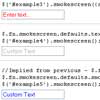
Create more informative textboxes by placing descriptive information, or “infotips”, about the textbox directly inside of it. This is particularly useful when placing labels next to textboxes is not always desired, such as in a small log in form. When a textbox receives focus, the text disappears; on blur, if nothing is entered then the infotip is placed back.
jQuery UI MultiSelect Widget
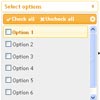
This is the successor and port of my original jQuery MultiSelect Plugin to a jQuery UI widget. While both will actively be maintained, I highly recommend you use this version over the plugin version. It has a more robust feature set, is faster, and is much more flexible. MultiSelect turns an ordinary HTML select control into an elegant drop down list of checkboxes with themeroller support.
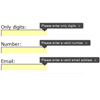

Reveal extra form fields using a select box with jQuery

Sometimes we need to include a feedback form but without making it too obtrusive to the user so we only want to add options when he is actually using it. In this tutorial we’re going to learn how to reveal hidden fields in a form when an option in a select combo box is selected using jQuery, the JavaScript library.