

Many young guns ask about how to style custom checkboxes and radio buttons in forms. I prepared a typical markup, a few lines of CSS and some JavaScript functions (Safari label behavior fix included)
Best jQuery Forms Plugins & Tutorials with Demo
Knockout a Dynamic jQuery UI
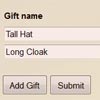
Knockout a Dynamic jQuery UI a dynamic jQuery UI by applying the Model-View-View Model(MVVM) pattern.Easily associate DOM elements with model data using a concise, readable syntax.When your data model’s state changes, your UI updates automatically.
Knockout is a JavaScript library that helps you to create rich, responsive display and editor user interfaces with a clean underlying data model. Any time you have sections of UI that update dynamically (e.g., changing depending on the user’s actions or when an external data source changes), KO can help you implement it more simply and maintainably.
How to build a fast, simple list filter with jQuery
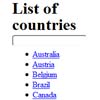
Sometimes you want users of your web-app to quickly filter a list down. For example, a web-app I’m currently working on features a page listing two dozen countries, and I want users to find the country they are looking for as fast as possible. This article shows you how little code is needed to add this in a fast, progressively-enhanced way using jQuery.
Create a Windows-like Interface with jQuery UI
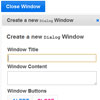
In this tutorial, we’ll be learning how to utilize jQuery UI to create a highly-functional user interface without using anything else. By the end, you should be familiar with jQuery UI, some of its components, and basic understanding of jQuery UI customization. Ultimately, we’ll be building a user interface akin to windows, with dialog boxes that are draggable, resizable, minimizable and maximizable.
jQuery Fancy Switch Button
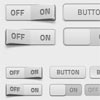
I wrote a post a while back on coding an iPhone style switch using jQuery. I’ve now put together a simple tutorial demonstrating how simple it is to build a switch that triggers two radio buttons in a field set. It also degrades gracefully if JavaScript is disabled just displaying the two radio buttons with labels. This tutorial is aimed at users just stepping on the jQuery ladder, and hopefully this will demonstrate how simple some techniques are.
NyroModal a jQuery Modal window
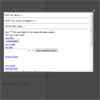
Designers seem to like using modal windows more and more, as they provide a quick way to show data without reloading the entire page. It’s easy to use and easy to design.The big problem I experienced with every plugin I tried either using Prototype/Scriptaculous or jQuery is the customization. They say you can do whatever you want simply but that’s not fully true. The default CSS works fine, but most of time it’s a mix between required elements and optional. That mean you have to be very careful when editing it.The other problem is the animation. That’s the worst point. I never found one plugin allowing to redefine easily the animations.
I tried to solve these problems with my plugin. I documented everything possible. Regarding the animations, you can simply redefine them from A to Z. Thanks to the useful jQuery function like animate or fadeTo it’s pretty simple.
nyroModal v2 now works with filters that let you define totally new possibilities for the plugin about the way it should work.
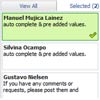

jQuery Widgets unique library for jQuery UI Development
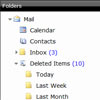
jQWidgets gives us something new and special. It’s a new and unique library for jQuery UI development and unlike others it makes our Apps and Websites look beautiful on desktops, touch devices and mobile phones. jQWidgets is the ultimate UI toolkit for the next generation of cloud apps development and it is built entirely on open standards and technologies like HTML5, CSS, JavaScript and jQuery.


