Best jQuery Forms Plugins & Tutorials with Demo

    jQuery Credit Card Validator

    jQuery Credit Card Validator

    jQuery Credit Card Validator detects and validates credit card numbers. It’ll tell you the detected credit card type and whether the number length and Luhn checksum are valid for the type of card.

    jQuery Credit Card Validator is written in CoffeeScript and (surprise, surprise!) is a jQuery plugin. It attaches to the input event (with a fallback to the keyup event) and, every time the number in the input field changes, it calls a function defined by you

    Auto-populating Select Boxes using jQuery & AJAX

    Auto-populating Select Boxes using jQuery & AJAX with Demo

    If you are familiar with using select boxes for categorisation and sub-categories, such as ebay does when selling an item, usually this can require a lot of JavaScript to maintain the select boxes, but jQuery can hugely simplify this task by adding a dash of AJAX.Allow the user to select a top level category from one select box and to automatically populate the sub-category.

    jQuery-Switch : A slide/toggle switch for jQuery

    jQuery-Switch : A slide/toggle switch for jQuery

    jQuery/Switch is an iOS-inspired slide/toggle widget. It began as an alternative switch for jQuery Mobile, but it also targets desktop browsers as well.jQuery/Switch builds from <select> elements which contain two <option> elements relating to the “on” and “off” states respectively. These can be in any order, but the first <option> will by default be assumed to relate to the “on” state (this can be overridden).

    Chico UI – jQuery User Interface Components

    Chico UI – jQuery User Interface Components

    Chico UI is an open source and free set of user interface components to ease developing with jQuery.

    The components include auto-complete, blink, calendar, carousel, countdown, date-picker, dropdown, expando, form and more.

    There is a CSS layout framework named Chico Mesh for accomplishing any type of web layouts and grids.

    Griffin.editor – a jQuery textarea plugin

    Griffin.editor – a jQuery textarea plugin with Demo

    A jQuery textarea editor that has zero configuration. For instance, just add the syntax highlighter scripts to activate those features.

    Highlights:

    • Markdown (currently the only format supported)
    • Preview pane (see generated HTML live)
    • Syntax highlighting (live)
    • Expanding textarea (which also goes back to original size on blur)
    • jQueryUI dialogs for links/images
    • Access keys (default browser modifier or CTRL if activated)
    • Plug & Play (just include additional scripts to activate features)

    jQuery SelectBox Plugin

    jQuery SelectBox Plugin

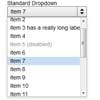
    While it is possible to use CSS to style SELECT elements, browser support and appearance will vary greatly depending on platform and browser.  In our search for a solid, customizable replacement for these finicky controls, we turned up only a handful of possible options that we ultimately weren’t thrilled with for one reason or another. Thus, today we’re introducing a new jQuery plugin that replaces standard SELECT elements so you can customize them entirely using CSS.  We even threw in some extra features for added usability.

    The plugin works by piggy-backing your existing SELECT controls.  Since the original controls aren’t destroyed (they’re hidden), you can easily integrate this plugin into just about any existing form. The plugin degrades gracefully, as users without JavaScript will see the default SELECT controls.

    Label inside – inscription in form fields with jQuery

    Label inside - inscription in form fields with jQuery

    This is often implemented in a way that the label in the value of the @ value attribute of input element or the content of the textarea element is set, the training and insertion is done by JavaScript. The technical implementation is problematic:

    • Caption and actual user input must be distinguished in the field and the text style (color) must be changed with JavaScript. Should also be pre-assigned fields are used, the distinction made in the markup (HTML).
    • If the JavaScript is running late, the user enters something into the field before its label was deleted. Thereby, the label text undesirable to a portion of the input.

    Circumvents this difficulty, if one realizes the labeling with the appropriate HTML label element. This is encapsulated together with the input field in a container element of the class “label inside”:

    fyneworks jQuery Star Rating Plugin

    fyneworks jQuery Star Rating Plugin

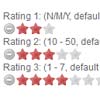
    Star Rating Plugin is a plugin for the jQuery Javascript library that creates a non-obstrusive star rating control based on a set of radio input boxes. It turns a collection of radio boxes into a neat star-rating control. It creates the interface based on standard form elements, which means the basic functionality will still be available even if Javascript is disabled.

    jqUploader: jQuery plugin for file upload and progressbar

    jqUploader: jQuery plugin for file upload and progressbar

    jqUploader is a jquery plugin that substitutes html file input fields with a flash-based file upload widget, allowing to display a progressbar and percentage. It is designed to take most of its customization from the html code of your form directly – so you don’t have to do things twice . For instance, the maximum file size, if specified via html, will be recognized and used in the rich upload interface generated by jqUploader.

    The plugin uses the form action attribute value (normally pointing to a server side script handling the upload and other data manipulations, and appends a variable “jqUploader=1” so that the upload code is initiated when it sees that key/value is on the posted data.