Best jQuery Forms Plugins & Tutorials with Demo

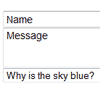
    jq-idealforms : jQuery Ideal Forms

    jq-idealforms : jQuery Ideal Forms

    jq-idealforms is a small framework to build awesome responsive forms. It’s built on top of jQuery and LESS.

    Features:

    • Fully responsive. (aka adaptive, adapts to the container, no css media queries needed)
    • Keyboard support.
    • Customizable input types with LESS, the dynamic css language.
    • “On the spot” validation.
    • Placeholder support for every browser.

    jQuery Super Labels Plugin

    jQuery Super Labels Plugin

    This plugin was born out of the need to use the label-over-field method for forms I was working on. There are other plugins out there that do pretty much the same thing, but none of them had the – for lack of a better word – sexiness that I was looking for. This implementation makes the label slide across the field☨ when gaining focus and fade out when a value is entered.

    jQuery Keypad

    jQuery Keypad

    A jQuery plugin that attaches a popup keyboard to a text field for mouse-driven entry or adds an inline keypad in a division or span.The keypad functionality can easily be added to a text field with appropriate default settings. Use it with a password field for more secure text entry.

    Plupload : A jQuery tool for uploading files using Flash, Silverlight, Google Gears, HTML5 or Browserplus

    Plupload : A jQuery tool for uploading files using Flash, Silverlight, Google Gears, HTML5 or Browserplus

    Plupload allows you to upload files using HTML5 Gears, Silverlight, Flash, BrowserPlus or normal forms, providing some unique features such as upload progress, image resizing and chunked uploads.

    The developers of TinyMCE brings you Plupload, a highly usable upload handler for your Content Management Systems or similar. Plupload is currently separated into a Core API and a jQuery upload queue widget this enables you to either use it out of the box or write your own custom implementation.

    jQuery Autofill City & State from Zip Code with Ziptastic

    jQuery Autofill City & State from Zip Code with Ziptastic

    Most address fields on web forms ask for city, state, and zip code (or city and post code, outside of the US). But as us nerds often lament, city and state are redundant with zip code. Or at least they can be inferred from a correctly entered zip code. That’s the kind of thing computers are good at. What we need is a proper API to cough up that information for us on demand

    We’re going to watch the zip input for keystrokes. Should the final value after a keystroke be a valid zipcode, we’ll attempt to get the city and state through Ziptastic and reveal the other fields.

    jQuery iMask : Masking plugin for jQuery

    jQuery iMask : Masking plugin for jQuery

    jQuery iMask Plugin is a jQuery input masking plugin.Following features :

    • Static Masking
      • Mask numbers, letters
      • Customize list of valid numbers & letters
      • Special symbols are displayed but un-selectable
      • Optionally only show the mask while user is entering
    • Numeric Masking
      • Control currency symbol, decimal & thousands seperator, # of digits
    • Events
      • onValid
      • onInvalid

    QapTcha : jQuery captcha system by drag&drop action

    QapTcha : jQuery captcha system by drag&drop action

    QapTcha is a draggable jQuery captcha system with jQuery UI.QapTcha is an easy-to-use, simple and intuitive captcha system.It needs human action instead of to read a hard text and it is a very lightweight jQuery plugin.

    jQuery Validation Engine with Demo

    jQuery Validation Engine with Demo

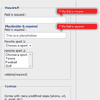
    jQuery validation engine is a Javascript plugin aimed at the validation of form fields in the browser (IE 6-8, Chrome, Firefox, Safari, Opera 10). The plugin provides visually appealing prompts that grab user attention on the subject matter.

    Validations range from email, phone, and URL, to more complex calls such as ajax processing or custom javascript functions. Bundled with many locales, the error prompts can be translated into the language of your choice.
    Rules of thumb
    * field.id are **unique** across the page
    * for simplicity and consistency field.id and field.name should match (except with minCheckbox and maxCheckbox validators)
    * spaces or special chars should be avoided in field.id or field.name
    * use lower cases for input.type ie. *text, password, textarea, checkbox, radio*
    * use the Ajax validator last ie. validate[custom[onlyLetter],length[0,100],**ajax[ajaxNameCall]**]
    * use only one Ajax validator per field!
    * JSON services should live on the same server (or you will get into browser security issues)
    * in a perfect RESTful world, http **GET** is used to *READ* data, http **POST** is used to *WRITE* data: which translates into -> Ajax validations should use GET, the actual form post should use a POST request.

    SelectBoxIt : jQuery Select Box Plugin with Demo

    SelectBoxIt : jQuery Select Box Plugin with Demo

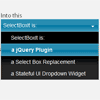
    SelectBoxIt is a jQuery plugin that progressively enhances an HTML Select Box into a single option dropdown list. The dropdown list can be optionally styled with ThemeRoller and optionally animated with jQueryUI show/hide effects.

    Facebook Style Emotions jQuery Plugin with Demo

    Facebook Style Emotions jQuery Plugin with Demo

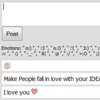
    Introducing a new jQuery emotions plugin, This helps you to convert text symbols to emotion images like how social chat editor works. This plugin developed by 9lessons using javascript regular expression match rules. In first version we providing facebook emotion theme, next release we are going to include some more better emotion icons.