Best jQuery Forms Plugins & Tutorials with Demo

    How to Create a Multi-Step Form Using RhinoSlider

    How to Create a Multi-Step Form Using jQuery RhinoSlider

    If you are using normal Sign Up forms and still require a lot of data from your users, a multi-step form is the best solution. So the form is broken into small sections and the user only sees one section at a time. Also, multi-step forms reduces the space you need on the page.

    In this tutorial I am going to show you how to make a multi-step Sign Up form using Rhinoslider. I think you would prefer seeing the demo first.In a multi-step form, once you complete the first step, the second step will be displayed and Step 1 will be hidden. Normally we use sliding effects in step transitions. So this a scenario where we can use a Slider differently from its default behavior of creating image slideshows.

    StyledSelect jQuery plugin

    StyledSelect jQuery plugin

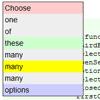
    The styledSelect plugin for jQuery lets you replace <select> form elements with freely stylable markup.The original select element stays in the page so your form won’t change and users without Javascript simply fall back to the original form element.

    Unlike other implementations styledSelect directly replaces a select element. As such it does not support arbitrary data for each element, just the value and text of an option tag.

    Coding a Guided Registration Form with jQuery

    Coding a Guided Registration Form with jQuery

    Techniques for building a usable registration form can be a major factor towards bringing in new users. When you’ve got an overly complicated form it can scare away so many first time visitors. But a great technique for keeping these people around is coding form hints into the layout.

    In this tutorial I want to demonstrate how we can build such an interface with CSS3 and jQuery. We can embed hidden form tips which only display when the user has focused on a particular field. These hints can be used to denote syntax, such as the required length of usernames or passwords. But it’s a great usability tactic which livens.

    jQuery.my : Binds HTML with JS objects in Real Time

    jQuery.my : Binds HTML with JS objects in Real Time

    jQuery.my is short plugin for jQuery library. It allows real-time bi-directional binding between HTML controls and native javascript objects. Non-interactive HTML elements also can be tied with javascript objects to reflect their values in real-time.

    jQuery.my allows comprehensive validation and conditional formatting of HTML inputs and static fields. Plugin recalculates and redraws interdependent controls automatically. $.my supports non-standard composite HTML controls as well as standard.jQuery.my is form-centric. We just define what form must do when controls are changed. It means we have no separate schema, controller and view definitions.

    jqBootstrapValidation : jQuery validation plugin for bootstrap forms

    jqBootstrapValidation : jQuery validation plugin for bootstrap forms

    A JQuery validation framework for bootstrap forms.jqBootstrapValidation will scan for HTML5 validator attributes directly on the elements, plus any extra options specified via data attributes. By default, it will also sniff for native HTML5 form validation attributes, as detailed above.

    If you decide this isn’t what you want, you can restrict jqBootstrapValidation to only data attributes by setting sniffHtml to false when calling it on your form elements.

    Autogrow Textarea Plugin Version 2.0

    Autogrow Textarea Plugin Version 2.0

    Today, I am glad to announce a new version of the Autogrow Textarea plugin. It automatically resizes your textarea; before you had an algorithm that calculated the correct width according to your font-size and cols settings. Now, the plugin does it automatically. Big time saver.

    It automatically sets the correct CSS attributes; before the user had to enter this manually in the CSS file. Now it’s done by the plugin.The plugin is fired when the page loads; a lot of users requested this feature. When you load a page with data already entered in the textarea, the latter will automatically resize itself.The plugin fires on more events; the plugin used to be fired when the user was typing. Now it does more than that.It no more pollutes the global namespace; if you’re not familiar with these terms, let’s just say the code will not conflict with other Javascripts.

    File Style Plugin for jQuery

    File Style Plugin for jQuery

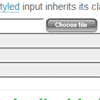
    Browsers do not let you style file inputs. File Style plugin fixes this problem. It enables you to use image as browse button. You can also style filename field as normal textfield using css. It is written using JavaScript and jQuery.

    Plugin wraps vanilla file input with div. This div has button as background image. Image button is aligned with file inputs browse button. File input is then hidden by setting opacity to zero. Chosen file is shown in normal text input which mimics file input. This text input also inherits file inputs class. Use this class to style the text input.

    Create a Beautiful Password Strength Meter in jQuery

    Create a Beautiful Password Strength Meter in jQuery

    In this tutorial we will be creating a beautiful password strength indicator. It will determine the complexity of a password and move a meter accordingly with the help of the new Complexify jQuery plugin. Only when a sufficiently complex password is entered, will the user be able to continue with their registration.

    Seahorse : JavaScript library of Form validation

    Seahorse : JavaScript library of Form validation

    Seahorse is a JavaScript library, licensed as free software, created to simplify the use of forms, particularly to simplify the form validation.

    Provides functions to validate, convert and serialize information and functions to assign real-time validation behaviors to form fields.It can be used with any JavaScript framework, however, has a plugin to be used along with jQuery.

    Seahorse provides several functions for handling numbers, dates, times, e-mail, plains texts, alphabetics texts or alphanumerics texts, among others.All the functions are highly configurable, allowing to specify the range of valid values, illegal characters, formats, and, in the case of behaviors, responses to the events of loss of focus and a key pressed.Implements behaviors for real-time validation of form fields. The behaviors can prevent the entry of certain characters, change the appearance of an element after validate an entered value or invoke other functions that handle the event.

    jquery.textntags : Tagging Names in Text Message

    jquery.textntags : Tagging Names in Text Message

    jquery.textntagsis a small UI component that allows you to “@tag” someone in a text message, just like you are used to on Facebook or Twitter.jquery.textntags is written as a jQuery extension, so it naturally requires jQuery. In addition to jQuery, it also depends on underscore.js, which is used to simplify stuff a bit.

    The component is also using the new HTML5 “input” event. This means older browsers like IE8 need a polyfill which emulates the event (it is bundled).