

A simple jQuery UI widget to pretty up <select> elements and input custom ranges. It’s fully unit tested too, you can run the tests if you like.It works by setting the values back in your original select, so you can call the standard jQuery val methods to read the value, bind to the change event, etc right on the native element.
Best jQuery Forms Plugins & Tutorials with Demo
dumbFormState.js : jQuery Html5 plugin Automatically saves Form State
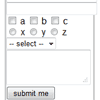
This jQuery html5 plugin automatically saves and persists form state on the client-side across page requests without need of server-side state management or cookies. ALL the major browsers support this!
features
- keeps the state of form entries in browser session or across sessions without cookies
- able to choose form entries not to persist
- works across multiple forms and pages
- automatically persists form data without submit
- can remove persisted data in a form, a session, local or all
- plays nicely with your form events
- fails gracefully on unsupported devices
UIKit – modern ui components for the modern web

UIKit is a small (4kb minified / gzipped) collection of flexible, cohesive, decoupled components for the modern web. With an emphasis on structure-only styling making it simple to apply application specific styling. UIKit is not a replacement for larger UI frameworks, nor is it a CSS framework such as Bootstrap.
jQuery prettyCheckable

A jQuery plugin to replace checkboxes and radios for custom images.This plugin replaces the default checkboxes and radio inputs for better looking ones.
Features:
- Custom design
- Four color options
- Better look & size
- Super easy implementation
- Selectable with Tab and checkable with keyboard
- Change events & Chainning preserved
- More area of click/touch. A plus for mobile devices
Styling Dark Select Dropdown With Dropkick.js
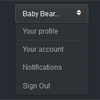
HTML select elements with their option tags cannot be completely customized using CSS, but what if we want to style a dropdown just as easily as <div>, <a>, <ul>, and <li> elements can be styled? Today, we’ll style the Premium Pixels Dark Select Dropdown using DropKick.js to help us do just that.
jQuery.validVal : A highly customizable and feature rich jQuery form validator
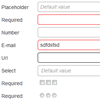
jQuery.validVal is a plugin designed to simplify form validation.It is highly customizable, very feature rich and can easily be dropped on any type of HTML-form (even AJAX- and HTML5-forms) with very little effort.
Features:
- Can be used for validating any kind of HTML-form, with very little effort.
- Supports five default value-validations: “required”, “number”, “email”, “url” and “pattern”.
- Supplies a workaround for the lack of support for HTML5 attributes and type-values.
- Great default “invalid-handler” that can be extended or customized.
- Enables a group of checkboxes to have at least one checkbox to be “required”.
- Built in support for clearing the placeholder-value “onFocus”.
- Automatically select the next input-field when the “maxlength” nth-character is entered.
SelectBoxIt : jQuery Stylish & Animated Select Box Plugin
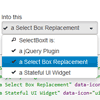
A jQuery plugin that progressively enhances an HTML Select Box into a single option dropdown list. The dropdown list can be optionally styled with Twitter Bootstrap or jQueryUI ThemeRoller and optionally animated with jQueryUI show/hide effects.
Features:
- Styleable with Twitter Bootstrap and jQueryUI Themeroller (optional)
- Supports all jQuery and jQueryUI show/hide effects (optional)
- Includes ARIA (Accessible Rich Internet Applications) support
- Full keyboard search and navigation support
- An event API triggered on the original select box element that calls the plugin
- A method API providing methods to interact with the dropdown list (i.e. Search, Open, Disable, Set Options).
- Passes jsHint with no errors
- Selected, Disabled, and Optgroup Support
- Easily extendable to allow developers to create new widgets
jQuery Lined TextArea plugin

One of the most used, but under featured HTML controls, is the humble TEXTAREA control. This control is designed to accept large blocks of text from the user. A wide variety of plugins exist for the TEXTAREA that layer it with toolbars, auto-resizing, rich-text editing and the works.
However, for my usage, this was way over kill. I wanted a simple line-number facility that would allow my users easily see where they are. Particuraly handy for editing code online. After searching, I couldn’t find one, so I simply created my own plugin.
Classic Digg-Style Radio Buttons with CSS and jQuery

For this tutorial I want to explain how we can build custom radio button links similar to the old Digg category selection. You can click on any set of links which will also trigger an active state on the correlated radio input. This is one of the best ways to style a web form using a bit of simple JavaScript to enhance the user experience.


