
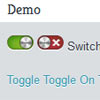
SlickSwitches is a low-footprint and thus environmentally friendly jQuery plugin that allows you to turn any ordinary boring checkbox on your page into a fantastically well-styled switch, and since the switch takes the place of an ordinary checkbox, it degrades without an issue if JavaScript is not enabled.
Best jQuery Forms Plugins & Tutorials with Demo
Garlic.js : jQuery Plugin to persist forms data locally

Garlic.js allows you to automatically persist your forms’ text field values locally, until the form is submitted. This way, your users don’t lose any precious data if they accidentally close their tab or browser.
It strives to have a javascript agnostic interface for UI/UX developers that might want to use it. Just add some data-persist="garlic" in your form tags, and you’re good to go!
jQuery shiftcheckbox plugin
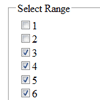
Presenting a jQuery plugin to select a range of consequetive checkboxes with just two clicks. The plugin is inspired from the GMail checkboxes functionality and works exactly the same. Just keep the ‘Shift’ key pressed and select a starting checkbox and the last checkbox that you want to select.
BootMetro : Create web apps with Windows 8 Metro user interface

BootMetro provides simple and flexible HTML, CSS, and Javascript for web apps that wants to use the “Windows 8 MetroUI” style, without the need to run on Windows 8. It is built on top of Twitter Bootstrap and was originally inspired by the Metro UI CSS by Sergey Pimenov.
The framework permit to create web applications with the look&feel of the not-yet-released Windows 8 MetroUI style. Maybe not ideal for internet web sites, the MetroUI style can be adopted for modern intranet web sites. I’ve choosen to use as base the awesome Twitter Bootstrap framework, applying a set of customizations in pure css (but planning to do it in LESS for future version).
jQuery PHP Ajax Contact Form Templates With Captcha: Formify

Today’s freebie is a collection of open source jQuery & PHP ajax contact forms, we call it Formify. Formify is a contribution to lessen the pain of creating contact forms. The collection contains six different forms that are commonly used. These open source contact forms can be customized as well to suit the need for your website/application.
Formify uses PhpMailer for email functionality. PHPMailer is a PHP email transport class featuring file attachments, SMTP servers, CCs, BCCs, HTML messages, word wrap, and more. Sends email via sendmail, PHP mail(), QMail, or directly with SMTP.
jQuery Magical Contact Form

Today I would like to show you something called the Jquery Magical Contact Form. Yesterday i was thinking about the contact form i saw many contact form on internet but they have a good interface but don,t have a magical effect on them so i decided to make magical contact formso here is my magical contact form with magical jquery effect.
It works absolutely fine with any browser. It is easily customizable and every beginner web designer can use it so why don’t we stop the talking and start the designing!

iPhone Style Radio and Checkbox Switches using jQuery and CSS
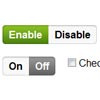
I created a great interface for an administration panel, complete with great looking forms and buttons. The one thing that stuck out like a sore thumb, however, were the ugly radio buttons and checkboxes I had to use repeatedly throughout the panel, so I decided to fix them. I found a few plugins that achieved what I wanted, however they were all pretty hefty in file size. My version doesn’t look as cool but makes up for it in file size, weighing less than 3kb and using only one image.
optionTree : jQuery plugin to dynamically create Select Elements
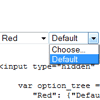
jQuery plugin to dynamically create select elements with hierarchical options.This jquery plugin converts passed JSON option tree into dynamically created <select>elements allowing you to choose one nested option from the tree.It should be attached to a (most likely hidden) <input> element. It requires an option tree object. Object property names become labels of created select elements, each non-leaf node in the tree contains other nodes. Leaf nodes contain one value – it will be inserted into attached <input> element when chosen.
The plugin also supports loading additional levels via AJAX calls and preselecting given items at load.
File Style Plugin for jQuery
jQuery plugin for styling file input elements. Browsers do not let you style file inputs. File Style plugin fixes this problem. It enables you to use image as browse button. You can also style filename field as normal textfield using css. It is written using JavaScript and jQuery.
Plugin wraps vanilla file input with div. This div has button as background image. Image button is aligned with file inputs browse button. File input is then hidden by setting opacity to zero. Chosen file is shown in normal text input which mimics file input. This text input also inherits file inputs class. Use this class to style the text input.


