
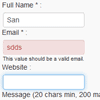
Parsley.js is jQuery Powerful forms validation.Never write a single javascript line anymore to validate your forms FrontEnd. Parsley will do that for you and do it right, thanks to its powerful DOM-API !
Best jQuery Forms Plugins & Tutorials with Demo
jQuery Modification Highlighter Widget
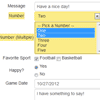
jQuery widget that you can use to keep track of input-able values within a container and highlight those columns that have been modified. Allows modified columns to be reset to their original values.
The jQuery Modification Highlighter widget can be applied on an HTML container (such as a DIV tag). It assigns a “change” event to each inputable element, such as an input or textarea element, and keeps track of the columns original value and whether or not column has been modified. If the column has been modified, the column and optionally any associated label is highlighted. If the column is changed back to its original value, the highlight is removed. The widget also contains methods which allow your application to reset columns back to their original value as well as apply pending changes as the new original values (as would be needed on a form save).
Selectik : jQuery cross-browser Select plugin
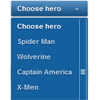
Selectik is jQuery select plugin, easy use, cross-browser alternative to the standard select form element which can be customised with CSS. All features of custom select and help you can find on demo page.
Features:
- TAB key control
- original select key control
- mouse wheel control
- search by first letter
- custom/default scroll
- smart positioning
- auto/cutsom width
Dynamic Newsletter Signup Form with jQuery Animations & CSS3

The dynamic form effects will be handled in jQuery with some additional CSS3 properties as well. I haven’t connected any backend script into the form. But there are methods for situating a full registration form, such as MailChimp or even your own custom storage. This layout is a fantastic example of what can be accomplished using just a little bit of HTML5/CSS3 and JavaScript techniques.
Image Picker : jQuery plugin User Friendly Select Element

Image Picker is a simple jQuery plugin that transforms a select element into a more user friendly graphical interface.
Features:
- Works great on both single and multiple select elements.
- Falls back nicely for clients without JavaScript enabled.
- Integrates nicely with Twitter’s Bootstrap markup.
jQuery Form Remember State plugin
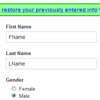
When called on a form element, localStorage is used to remember the values that have been input up to the point of either saving or unloading. (closing window, navigating away, etc.) If localStorage isn’t available, nothing is bound or stored.
By default, the plugin looks for an element with a class of remember_state within the form to show a note indicating there is stored data that can be repopulated by clicking on the anchor within the remember_state container. If the element doesn’t exist, it is created and prepended to the form. You can override the selector and the HTML that is prepended in the options object you pass to the plugin.
Creating Custom File Input With PHP, CSS3 and jQuery
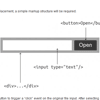
This tutorial will help you in developing jQuery plugin which will assist you to replace that complex file input with support for multiple files.You must be knowing that file inputs are very limited in terms of customization and many complex plugins are avaialble with multiple evacuations that allows you to customize those file inputs, but its is still a challenging task to get it worked.
Fuel UX : Clean and lightweight UI controls

Fuel UX extends Twitter Bootstrap with additional lightweight JavaScript controls. Other benefits include easy installation into web projects, integrated scripts for customizing Bootstrap and Fuel UX, simple updates, and solid optimization for deployment. All functionality is covered by live documentation and unit tests.
jQuery CForms Form Generator

Forms is a JQuery plugin to display and manage html forms, validation and ajax communication. A spam secured php script is included to send all collected data to an email account.
Features:
- Easiest installation and integration
- Six ready to use example forms
- All HTML elements have uniqe ids and classes for easy css styling
- AJAX form validation
- Send mail copy function
- Secure php script
- Complete login form with php scripts and secure (session based) web page example
X-editable : Create editable elements with jQuery & Bootstrap
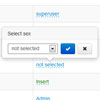
This library allows you to create editable elements on your page. It can be used with any engine (bootstrap, jquery-ui, jquery only) and includes both popup and inline modes. It’s new life of bootstrap-editable plugin that was strongly refactored and improved.
Features:
- popup and inline modes
- supported inputs:
- text
- textarea
- select
- date
- dateui
- checklist
- client-side and server-side validation
- customizible container placement
- toggle by click or manually
- keyboard support (escape/enter/tab)
- works in IE7+ and all modern browsers
- unit tested


