In this tutorial we are going to create an AJAX file upload form, that will let visitors upload files from their browsers with drag/drop or by selecting them individually. For the purpose, we will combine the powerful jQuery File Upload plugin with the neat jQuery Knob to present a slick CSS3/JS driven interface.
Best jQuery Forms Plugins & Tutorials with Demo
Responsive HTML5/jQuery Sign In/Registration Form

Responsive HTML5 Sign In / Registration form, with jQuery effects and CSS3 customization.
Features:
- it is compatible with all major browsers (IE8, IE9, IE10, Chrome, Mozilla Firefox, Opera, Safari)
- really easy to use and to integrate into your website
- cool effects
- html5 custom validation
- responsive layout
- really easy to modify (100% CSS customizable)
Bootstrap Maxlength : jQuery Html5 maximum length field Plugin
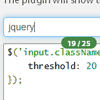
This plugin integrates by default with Twitter bootstrap using badges to display the maximum lenght of the field where the user is inserting text. Uses the HTML5 attribute “maxlength” to work.
The indicator badge show up on focusing on the element, and disappear when the focus is lost.


iCheck : jQuery customized checkboxes and radio buttons

Super customized checkboxes and radio buttons with jQuery & Zepto.iCheck is created to avoid routine of reinventing the wheel when working with checkboxes and radio buttons. It provides an expected identical result for the huge number of browsers, devices and their versions. Callbacks and methods can be used to easily handle and make changes at customized inputs.
Features:
- Identical inputs across different browsers and devices — both desktop and mobile
- Touch devices support — iOS, Android, BlackBerry, Windows Phone
- Keyboard accessible inputs —
Tab,Spacebar,Arrow up/downand other shortcuts - Customization freedom — use any HTML and CSS to style inputs (try 6 Retina-ready skins)
- jQuery and Zepto JavaScript libraries support
- Lightweight size — 1 kb gzipped

validator : jQuery cross-browser validation plugin

The javascript validation code is based on jQuery. The Validator is cross-browser and will give you the power to use future-proof input types such as ‘tel’, ‘email’, ‘number’, ‘date’, and ‘url’. I can sum this as a ‘template’ for creating web forms.
In the semantic point-of-view, I believe that this method is very clean and…appropriate. This is how forms should be, IMHO.
Features:
- Cross browser validation
- Deals with all sorts of edge cases
- Utilize new HTML5 types for unsupported browsers
- Flexible error messaging system