jQuery plugin that allows you to add custom tags to a text area to quickly enter form letter data.You will notice that once a canned text entry has been made, it automatically expands to the full text of the canned text and highlights the first tab stop for you to start typing into immediately (side note: the textarea also scrolls to the tab stop…if necessary). From there you can make your entry and press the tab key to either be a) taken to the next tab stop; or b) taken on to the next input on the page.
Best jQuery Forms Plugins & Tutorials with Demo
Strength.js : Ultimate jQuery password input plugin
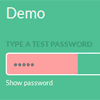
The ultimate jQuery password input plugin. Featuring secure strength indicator and hide/show password.
Strength.js provides a toggle feature for password input fields that allows the user to view or asterisk the password. It also features a strength indicator to show how secure a users password is.
jQuery and PHP powered Easy Form
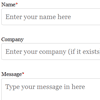
Looking for a simple contact form that has nice, user friendly validation? You’ve found it.This form loves validation. All fields (except for Company) are all validated through jQuery and PHP. JavaScript mainly for normal users who just love to fill in forms (and to save sending unnecessary requests to the server). PHP validation for those who love to try to break forms or just simply have JS disabled.
Features:
- jQuery animation for validation rules.
- JavaScript validation so no page reload! Saves bandwidth.
- PHP validation if the user has JavaScript disabled the form will still validate.
- Field specific validation, phone requires numbers, email requires a valid email format etc.
- Anti spam measures (captcha) to deter spam emails. Easy to read.
- Very easy to implement into an existing HTML or PHP web page. ‘Plug in and Play’ – Simply change the email address and place on your page.
- Thank you message animation on submission.
- Error message animation without reloading the page on submission attempt.
- Customise the HTML email message that is sent
Progression.js : jQuery Real-Time Hints & Progress updates For Forms

A jQuery plugin that gives users real time hints & progress updates as they complete forms.You must give your form a unique ID. You then need to add a data attribute of data-progression to each element that needs to be a step in the form progression.Then it shows a tooltip respective to every element with progress report that how much form is completed.
Tapestry 5 jQuery integration Module

Tapestry 5 jQuery integration. Fully replace Prototype and Scriptaculous with jQuery with as less as possible compatibility issues.
The “Tapestry5-jQuery” is an open sourced Tapestry 5 library from Atos WorldLine. It aims to make it possible to replace the Prototype/Scriptaculous JS layer of Tapestry: all its components, mixins or any other JS interactions. It also provided advanced UI component framework for easily integrating Ajax capabilities into business applications using Tapestry5
Textrange : jQuery plugin for Setting and Replacing text in input field
A jQuery plugin for getting, setting and replacing the selected text in input fields and textareas.This jQuery plugin is for easily finding the starting and ending positions of selected text in text fields and textareas. It can also be used to set the selection, and replace the selection with given text (or insert text wherever the cursor is in the text field or textarea).
form2js : jQuery library for collecting form data
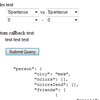
Convenient way to collect structured form data into JavaScript object. Because everything is better with jQuery, jQuery plugin added, check out jquery.toObject.js.
This is not a serialization library. Library used in example for JSON serialization is http://www.json.org/js.html Structure of resulting object defined by name attribute of form fields. See examples below. All this library doing is collecting form data and putting it in javascript object. Obviously you can get JSON/XML/etc string by serializing it, but it’s not an only purpose.
jQuery Steps : A powerful jQuery wizard plugin

jQuery Steps is a smart UI component which allows you to easily create wizard-like interfaces. This plugin groups content into sections for a more structured and orderly page view. Furthermore, it is as simple as 1-2-3 to add plugins such as jQuery Validation which can prevent step changing or submission. Check out the demos and get a first-hand impression!
Features:
- HTML5 and Accessability support
- Async (AJAX) content loading
- Form validation made easy
- Embedded iframe content
- Cool transition effects
- Keyboard navigation
- Simple Step Manipulation
- Multiple wizards in one page
- Easy Navigation
- State Persistence *
Focusify : A jQuery plugin to visually enhance form elements

Focusify is a simple jQuery plugin for visually enhancing forms and form elements. Problems surface when there is a requirement to provide visual cues from interactions with form fields. Since CSS works from a top down, left to right hierarchy, there is no simple way to style an element that precedes, or is the parent of, an active field in the form. Focusify intends to resolve this issue by dynamically altering the class name of the related focused element, therefore providing a hook for the custom styling of the element’s states.