
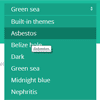
HeapBox is plugin for jQuery that replace native HTML selectboxes in your webpages. HeapBox supports themes, events, callbacks, ajax and much more.Heapbox doesn’t know how to deal with textboxes, checkboxes etc but when it comes to selectboxes, it’s kick-ass.
Best jQuery Forms Plugins & Tutorials with Demo
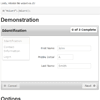
jQuery Bootstrap Form Application Wizard

It is a good practice to split long forms into smaller, contextually similar chunks. This makes them a bit easier to handle. The Bootstrap Form Wizard does that for you and more.
The Application Wizard is a Bootstrap addon that allows multi-step forms to progress in a natural order while remaining flexible.

Sliding Checkbox Actions menu with jQuery

In this tutorial we will create an actions menu with jQuery that appears when checkboxes are selected. This can be a very helpful UI property since we don’t force the user to scroll to the place where the actions are – they just appear whenever the user needs them.
Additionally, the user can drag the actions box to the place that is more practical for him, and the box will always follow when the user scrolls the page. It will also show a count of how many checkboxes were selected.
Chained Selects jQuery Plugin
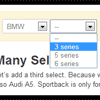
Chained is simple jQuery plugin for chained selects. You can choose from two different versions. Use jquery.chained.js if you do not want to make external queries for setting content of child selects. This version uses classnames of select options to decide content.
For more complex scenarios maintaining option tag classnames will get cumbersome. Also if you want to make queries against database use jquery.chained.remote.js instead. This version makes an external AJAJ query and uses the returned JSON to build child selects.

jinplace : jQuery Plugin for in-place Data Editing
This is a plugin for jQuery for in-place editing of data on the page. The intended way to use it is for the editable fields on the web page to be marked up with HTML data-* attributes. The plugin call can be placed in a page template and when it runs it finds all the fields that have been marked as editable.
Features:
- Primarily driven by markup on the page.
- Can also use javascript configuration.
- Framework independent.
- Works with IE6-8 and all modern browsers, including mobile.
- Supports text input fields.
- Supports textarea input fields.
- Supports select dropdown fields.
- Data to be edited can be supplied as an attribute of the element, rather than using the existing text within the element.
- Data to be edited can be retrieved from the server just before editing.
jQuery Hide/show password plugin

It’s easy to take the “masking” of passwords (replacing characters with ••••) for granted.This plugin lets you easily hide and reveal the contents of a password input field. It’s based on a mobile design pattern documented in this post by Luke Wroblewski.
The plugin will not assume that touch is supported unless you tell it by specifying a value for the touchSupport option.
jQuery MeioMask : A jQuery plugin for Masking Text inputs

A jquery plugin for creating masked input texts.
Features:
- Accepts paste event;
- Has fixed and reverse mask types ( allow number mask );
- You can still use your hotkeys and others (ex: ctrl+t, ctrl+f5, TAB …);
- Supports metadata plugin;
- Works with iPhone;
- Allow default values;
- Has callbacks for invalid inputs, valid and overflow;
- Has function to mask strings;
- And much more!


