Best jQuery Forms Plugins & Tutorials with Demo
    jQuery AutoSave Plugin

    jQuery AutoSave Plugin

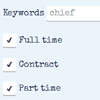
    Whenever a change event happens any <input> element on the page, the elements new value will save to the specified url. It will also send all other data-* attributes, as well as the ‘name’ and ‘value’ attributes.

    Multiple Select : jQuery plugin to select Multiple elements with Checkboxes

    Multiple Select : jQuery plugin to select Multiple elements with Checkboxes

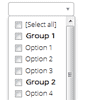
    Multiple select is a jQuery plugin to select multiple elements with checkboxes.

    Switchery : iOS 7 Style Switches for your Checkboxes

    Switchery : iOS 7 Style Switches for your Checkboxes

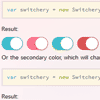
    Switchery is a simple component that helps you turn your default HTML checkbox inputs into beautiful iOS 7 style switches in just few simple steps. You can easily customize switches, so that they match your design perfectly.

    jQuery CoolFrom Plugin

    jQuery CoolFrom Plugin

    jQuery plugin for styling form fields.coolForm gets your website font. Besides this, you can custom the coolButtons color. Just select the color that most fits your website and add the corresponding class.

    Smart Forms with jQuery Html5 & CSS3

    Smart Forms with jQuery Html5 & CSS3

    Smart Forms is a responsive professional Form Framework / pack with a clean consistent Form UI. The framework includes a variety of form Widgets such as Datepickers, Timepickers, Monthpickers, Colorpickers, Numeric Steppers, UI Sliders, Google maps, toggle switches validation, masking among other features.

    Features:

    • Multiple form inputs
    • File inputs / uploaders
    • CSS3 checkboxes + Radios
    • CSS3 toggle switches
    • CSS3 review & rating
    • Tooltips + vector icons
    • Notification alerts
    • CSS3 multi shape buttons
    • Animated progress bars
    • Simple pricing tables
    • Ajax form processing
    • Input masking
    • PHP CAPTCHA with refresh support
    • 40+ starter templates included
    • Date & time picker widgets

    jQuery checkradios : jQuery Plugin to use CSS to style checkboxes and radios

    jQuery checkradios : jQuery Plugin to use CSS to style checkboxes and radios

    A lightweight jQuery Plugin that allows you to use CSS to style checkboxes and radios without using images.

    This jQuery plugin was designed to allow you to fully customize checkboxes and radios without using standard images and with scalability in mind. Most plugins I have come across use images such as jpegs and pngs to add custom checkbox ticks and radio circles. This plugin instead uses vector based icons/fonts to add in the ticks and circles which allows far greater customisation as well as scalability and ultimately much greater control over the checkboxes and radios using css.

    Rangeslider.js : jQuery polyfill for the HTML5 Range Slider Element

    Rangeslider.js : jQuery polyfill for the HTML5 Range Slider Element

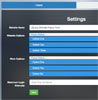
    Simple, small and fast JavaScript/jQuery polyfill for the HTML5 <input type="range"> slider element.

    Features:

    • Touchscreen friendly
    • Recalculates onresize so suitable for use within responsive designs
    • Small and fast

    jQuery – Ultimate Fancy Form

    jQuery - Ultimate Fancy Form

    Your forms deserve to fancy and create an impression.

    Features:

    • 10 Main concepts
    • 6 Premade bootstrap templates
    • 6 Premade workless templates
    • 6 Premade Foundation Templates
    • Validation
    • Elegant Sound
    • Easy Multiple Select
    • Story Box
    • CSS Transitions

    MLKeyboard : jQuery virtual keyboard with Multilanguage Option

    MLKeyboard : jQuery virtual keyboard with Multilanguage Option

    ML Keyboard is a jQuery virtual keyboard with features to change input layouts on the flight.By default plugin goes with all layouts included, but it’s possible to customize plugin and left only some layouts as also new layouts can be easy added.

    PowerRanger : jQuery plugin to Resize Number
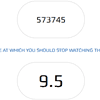
    PowerRanger : jQuery plugin to Resize Number

    A jQuery plugin to resize number (ranged) inputs based on length of characters.

    Tired of BORING number inputs that are hard to see when the numbers are too long? Tired of numbers that are too small inside the box? Add some POWER to your inputs with POWER [input] RANGER! Works great for max/min number inputs, part of the SWEET html5 spec.