Best jQuery CSS2 / CSS3.0 Plugins & Tutorials with Demo

    MelonHTML5 – All in One Tab with jQuery

    MelonHTML5 - All in One Tab with jQuery

    This is a fully customizable tab solution with pure HTML5 + CSS3 animations for your website.

    Features:

    • Full HTML5 + CSS3 animations (no jQuery UI)
    • 10 preset animations
    • Customizable tab menu position
    • Sliding control
    • Tab position indicator (Android Style)
    • Dropdown shortcuts
    • Keyboard navigation (Left/Right arrow key control)
    • Slideshow
    • Free support & frequent updates

    jQuery.fluxoModal : jQuery plugin similar to Lightbox

    jQuery.fluxoModal : jQuery plugin similar to Lightbox

    jQuery.fluxoModal is a jQuery plug-in similar to lightbox. It can highlight any kind of html element inside an html modal window, blurring the background using html5 canvas, CSS3 animations and a crossbrowser fallback for IE.

    jQuery Cute Slider – 3D & 2D HTML5 Image Slider

    jQuery Cute Slider - 3D & 2D HTML5 Image Slider

    Tired of boring flat sliders? Looking for a unique slider? Here’s what you want,with Cute Slider you will be able to show your slides with awesome 3D & 2D transitions.Cute Slider makes your ideas alive, It gives you desire,you can use it as an advanced 2D slider with tons of 2D transitions, or add third dimention to your slider and create a unique and inpressive 3D slider.

    Features :

    • 3D & 2D effects
    • 100+ prest transitions
    • 3 fallback levels(CSS3D, Canvas, 2D)
    • Cross Browser
    • Device friendly
    • Youtuve and Vimeo videos
    • Search engine optimized

    Creating a Flipbook Image Slider with CSS3 3D Transforms and jQuery

    Creating a Flipbook Image Slider with CSS3 3D Transforms and jQuery

    Recently the ‘flip book’ effect has become really popular on a lot of websites, so I got to thinking about how you could go about pulling off that effect using some jQuery and CSS3. I find that most of the implementations of this code can get a little bit complicated, so I tried to make things as simple as possible.

    We’re going to write this code as a jQuery plugin, so first you need to include jQuery. Next we want to include a script called Modernizr. We only need 3D Transforms, and you can download the required script from here. This will ensure everything will work fine in browsers which do not support 3D Transforms. Then you have to make a file called jquery.pictureflip.js which will be where we’re putting our plugin code!

    Image splitting effect with CSS and jQuery

    Image splitting effect with CSS and jQuery

    In this tutorial we are going to make an image splitting effect. What’s that? It’s simillar to a sliding door effect where the image slides to left or right side and reveals the text behind it, but the thing that makes this different is that the effect looks like the image is splitted into half and one goes left and the other one goes right. One thing that’s very important is that there won’t be 2 images, it’s only one

    FoldScroll : Experimental CSS 3D scroll behavior jQuery plugin

    FoldScroll : Experimental CSS 3D scroll behavior jQuery plugin

    An experimental CSS 3D scroll behavior jQuery plugin.

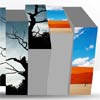
    MelonHTML5 : 3D Cube Gallery in Html5, jQuery & CSS3

    MelonHTML5 : 3D Cube Gallery in Html5, jQuery & CSS3

    This is a flexible and easy to integrate Photo Gallery written in HTML5 , CSS3 and jQuery.

    Features:

    • 3D Cube Animation (Chrome, Safari, Firefox, IE10 )
    • Automatic thumbnail generation
    • Unique animated thumbnail preview
    • Grid or Custom Layout
    • Lightbox
      • Navigation
      • Keyboard Control
      • 3 Animations
      • Slideshow

    Classic Digg-Style Radio Buttons with CSS and jQuery

    Classic Digg-Style Radio Buttons with CSS and jQuery

    For this tutorial I want to explain how we can build custom radio button links similar to the old Digg category selection. You can click on any set of links which will also trigger an active state on the correlated radio input. This is one of the best ways to style a web form using a bit of simple JavaScript to enhance the user experience.

    jQuery DragPan

    jQuery DragPan

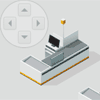
    Give your website visitors the ability to navigate a large area of rendered HTML quickly. Usefull for creating maps of supermarkets, shopping malls, theme parks, zoos, festival sites, theatres, airports, seating plans in fact anywhere where the map would be larger than the users browser.

    Features:

    • Very few images, mostly CSS
    • Includes 19 different customizable options and 3 callbacks
    • Function to move map to position
    • Doesn’t stop user from dragging beyond map, just bounces back till the whole map fills the screen
    • Scrollbars (Colour changable using CSS )
    • Copyright/help message (You choose the message)
    • Restrict to horizontal/vertical panning
    • Customize grab/grabbing cursor
    • Change return animation speed

    enquire.js : Handling CSS media queries with JavaScript

    enquire.js : Handling CSS media queries with JavaScript

    Enquire.js is a standalone JavaScript library for programmatically responding to CSS media queries.The library allows us to define any number of media queries and fire events when they are matched (or not matched).

    Features:

    • Deal with your media queries being matched (and even unmatched!)
    • Respond to browser events with aplomb
    • And if you want to get really fancy, run one-time setup routines