Best jQuery CSS2 / CSS3.0 Plugins & Tutorials with Demo

    Windy: A jQuery Plugin for Swift Content Navigation

    Windy: A jQuery Plugin for Swift Content Navigation

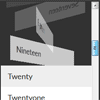
    Windy is a jQuery plugin that allows a rapid navigation through a pile of items using some CSS 3D transforms and transitions. The effect of a continuous navigation flow reminds of a deck of cards or sheets flying away, hence the name. This plugin idea is inspired by the CSS shaders examples as shown in the CSS shaders Flipbook video by Adobe.

    There are several options available, including defining the range of spreading the items when navigating, speed (CSS transitions), adding custom navigations, etc.

    Sticky : A super simple jQuery notification system

    Sticky : A super simple jQuery notification system

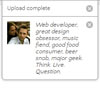
    Let’s face it, your users need sweet little notifications to keep them all warm and fuzzy inside. Sticky allows you to send such messages with ease, and class. Quickly notify a user of software updates, process completions, or annoy them with registration reminders.We can also use Sticky to display data we’ve grabbed via AJAX. This could make for a very powerful message queue system for your users.

    Custom Drop-Down List Styling with jQuery & CSS

    Custom Drop-Down List Styling with jQuery & CSS

    A tutorial on how to create some custom drop-down lists. We’ll show you five examples with different looking drop-down menus and lists for various purposes. The point of this tutorial is to show how to create nice drop-downs without any image but with CSS only. We’ll add some line of jQuery to make them work.

    Pretty Hover Effects with CSS and jQuery

    Pretty Hover Effects with CSS and jQuery

    This article will show you how to create pretty hover effects for your images using jQuery and CSS. The plan is to use a clean mark up, adding the necessary elements on the fly. What this means is that we are starting from barebones image HTML tags, with title attributes only. This can come useful especially if you already have hundreds of images that you want to apply this effect on.

    Live Weather Display Using CSS, jQuery and PHP

    Live Weather Display Using CSS, jQuery and PHP

    We set out with ambitious plans to have our website feature the live weather conditions using the geo location from anyone who looked at it. We wanted the time of day to be reflected depending on where they were based in the world, so somebody looking at the website in London, England would see a different style to someone looking at the website at the exact same time in San Diego, California. The goal was that people could see what the weather was like outside their window by looking at our website.

    JackBox : jQuery Responsive Lightbox

    JackBox : jQuery Responsive Lightbox

    JackBox is a Responsive Lightbox with Real Social Sharing.

    Features:

    • Responsive / Mobile Ready
    • Retina Ready Graphics
    • Share any item through Twitter, Facebook, Pinterest and Google+
    • Deep-linking, every item has it’s own unique link
    • Touch Swipe for Mobile Devices
    • Genuine Fullscreen for Firefox and Chrome
    • Group any items together and create item categories
    • Youtube Video w/ Mobile Fallback
    • Vimeo Video w/ Mobile Fallback
    • Automatic Youtube and Vimeo thumbnail loading
    • HTML5 Video w/ Flash backup
    • HTML5 Audio w/ Flash backup
    • Flash Video w/ Mobile Backup
    • Load HTML Divs, iFrames and Google Maps
    • A boatload of Custom Thumbnail Hovers and Tooltips
    • CSS3 Preloader for smoother animation

    Vertical Showcase Slider with jQuery and CSS Transitions

    Vertical Showcase Slider with jQuery and CSS Transitions

    In this tutorial we will create a very simplistic and responsive product slider for an online store or a portfolio. The idea is to have different sections in a fullscreen view: the image or preview, a navigation and the description. When navigating through the items, we will slide the preview section and the section with the description in opposite directions. The idea for this kind of “opposite” transition comes from the beautiful website of the National LGBT Museum which moves the left and right side in the same manner when navigating or scrolling the page.

    UIKit – modern ui components for the modern web

    UIKit - modern ui components for the modern web

    UIKit is a small (4kb minified / gzipped) collection of flexible, cohesive, decoupled components for the modern web. With an emphasis on structure-only styling making it simple to apply application specific styling. UIKit is not a replacement for larger UI frameworks, nor is it a CSS framework such as Bootstrap.

    Stroll.js : CSS3 scroll effects with JavaScript

    Stroll.js : CSS3 scroll effects with JavaScript

    A collection of CSS list scroll effects. Works in browsers with support for CSS 3D transforms including a special touch-enabled mode for iOS & Android 4.x.

    CSS 3D Restaurant Menu Concept with jQuery

    CSS 3D Restaurant Menu Concept with jQuery

    Applying CSS 3D transforms to components can bring some more realism to normally flat web elements. We’ve experimented with some simple concepts for restaurant websites and came up with a 3D folded menu (a real menu, not a “web” menu). The result is a restaurant website template where the menu will open by unfolding. Clicking the linked items will reveal a modal overlay which contains some more info.

    Since this “flyer” structure requires a decent amount of space, and, although we will make this responsive, we’ll add a media query for smaller screens where everything will fall back to a simplified stacked structure. The same will be applied for browsers that don’t support 3D transforms.