Best jQuery CSS2 / CSS3.0 Plugins & Tutorials with Demo

    Simple Effects for Drop-Down Lists with jQuery

    Simple Effects for Drop-Down Lists with jQuery

    Today we want to share some simple drop-down list effects with you. The idea is to transform a normal select input into something more appealing with a jQuery plugin. The expanding of the options will happen with a transition and parameters can be configured in a way to achieve unique effects.

    After the great custom drop-down list styles made by Hugo in his tutorial Custom Drop-Down List Styling, we wanted to make it simple to create a custom structure from a normal select input (without multiple option selection). So, we’ve come up with this little plugin that will allow some custom styling of the drop-down list. With the generated structure it is easy to apply some simple effects in order to spice it up.

    Create high quality cinemagraphs with CSS3 and jQuery

    Create high quality cinemagraphs with CSS3 and jQuery

    Create high quality cinemagraphs that offer a richer range of colours and a larger set of dimensions than the usual animated GIF options, by using JPEG sprites with CSS3 and jQuery.

    In this tutorial we’ll show you how to create a full screen-capable cinemagraph using a different technique. Instead of rendering our animation using GIF, we’ll create a sprite using JPG as the format, allowing us to scale up our artwork to practically any size, and render a full spectrum of colour. You’ll learn how to break video into individual frames, arrange the frames into a single sprite that loads efficiently in the browser, and use CSS3 (with jQuery as a backup) to flip between the frames, creating a rich, high-quality cinemagraph.

    FatPixels : jQuery Pixel-perfect CSS animated sprites

    FatPixels : jQuery Pixel-perfect CSS animated sprites

    FatPixels is a jQuery plugin for animating the sprite image of any size.

    How to Slice Images into Tiles with jQuery and CSS3 Transitions

    How to Slice Images into Tiles with jQuery and CSS3 Transitions

    Did you ever wonder how those cool slideshow plugins split images into pieces and put them back together? This tutorial will get you a good understanding of the basic concept behind this effect as we build a simple jQuery plugin.

    jQuery CSS3 Adaptive Thumbnail Pile Effect with Automatic Grouping

    jQuery CSS3 Adaptive Thumbnail Pile Effect with Automatic Grouping

    An experimental jQuery plugin that will group thumbnails by a shared data-attribute into a pile. When clicking on the pile, the thumbnails that belong to that pile will be spread into a grid using CSS transitions.

    CSS3 jQuery Animated Steps Indicator for Mobile

    CSS3 jQuery Animated Steps Indicator for Mobile

    I wanted to try and create an animated steps indicator. This was primary for mobile. The code is a bit messy =). This could be replicated with just using jQuery, but i wanted to leverage CSS3.

    Slider Shock : Most complete responsive jQuery/WordPress Slider

    Slider Shock : Most complete responsive jQuery/WordPress Slider

    jQuery Slider Shock. A fully responsive slider and the most complete over the web right now. Available for you to download it as a jQuery code to use it wherever you need, or as a plugin for the most used CMS: WordPress. We wanted to make something that could take advantage of all the power that the jQuery code has to offer and this is the result. Take a look into this post and the features that our slider has to offer.
    Do you want to build your own Slider? Sure, you can do it!. Look at the controls available to do so.

    Features:

    • You can easily add thumbnails on any of the sides of the slider ( top, bottom, left, right ) allowing users to navigate easily between slides.
    • jQuery Slider Shock supports not only images but also allows you to show Videos from YouTube playlists, RSS Feeds, Twitter Feeds, Flickr and Instagram images from an account.
    • You can create an slider from each of the following sources: Custom Slides, Posts (WordPress), Custom Post Types (WP), Taxonomies (WP), External RSS, YouTube, Flickr, Twitter and Instagram.
    • Add videos from YouTube, Vimeo or Hulu.
    • Create a unique slider adding not only videos or only images, but both of them between slides.
    • You can have as many sliders as you want in the a single page.
    • Add a flat color or a pattern based background the captions in the slides.
    • You can adjust both the position and width of the slider captions.
    • You can also include external URL images. By doing that, you can add completely different background patterns to your slider.
    • You can choose a fixed width for your images, or adjust them to the 100% of its parent width..
    • Add image descriptions within the thumbnail labels and display them on top, bottom, left or right side of your slider.
    • Like the images, the labels can have their own background.
    • You can adjust both the position and width of your captions.
    • Pick one from 31 available effects (premium) or let them be random.
    • Responsiveness can be deactivated, allowing your slider to remain the same disregarding the screen size.
    • You choose the skin that fits on your site the best from 39 skins.

    jQuery Dimension 3D Portfolio Gallery

    jQuery Dimension 3D Portfolio Gallery

    Dimension 3D Portfolio Gallery is an easy to use jQuery 3D Tile / Portfolio Gallery with 3D animated filter selection. Use it to display your work.This Portfolio is created with javascript, CSS3 and HTML5 .

    How to Create a Responsive Image Slider in jQuery and CSS3

    How to Create a Responsive Image Slider in jQuery and CSS3

    Today we will code a responsive image slider from the Impressionist UI. We will code it using the FlexSliderplugin for the functionality and style it using CSS3. I hope you will enjoy it and find it useful for your projects.

    Baraja: A jQuery Plugin for Spreading Items in a Card-Like Fashion

    Baraja: A jQuery Plugin for Spreading Items in a Card-Like Fashion

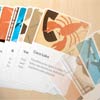
    Baraja is an experimental and fun jQuery plugin that allows to move elements in a card-like fashion and spread them like one would spread a deck of cards on a table. It uses CSS transforms for rotating and translating the items. There are several options available that will create various spreading possibilities of the items, for example, moving the items laterally or rotating them in a fan-like way.