

Today we’ll show you how to recreate the little menu effect that you can see in the left side-menu on YouTube when watching a video (where it says “Guide”). The menu is made of a little menu icon, a label and a list of menu items that appears when the label or menu icon is clicked. Once it’s clicked the menu icon slides to the right and the label moves up while the list items fade in sequentially. We’ll add some more style and effects to it in order to make it a bit more interesting.
Best jQuery CSS2 / CSS3.0 Plugins & Tutorials with Demo
DoubleTapToGo.js : jQuery Touch-friendly drop-down navigation
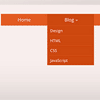
doubleTapToGo is responsive and touch-friendly dropdown navigation.
The technique consists of three main parts:
- Simple drop-down navigation based on HTML and CSS;
- Responsiveness implementation using media queries;
- Adoption for touch screen devices with the help of a super tiny jQuery plugin.
Snap.js : A Library for creating beautiful mobile shelfs in Javascript

A Library for creating beautiful mobile shelfs in Javascript (Facebook and Path style side menus)
Features:
- Firefox 10+, Wide Webkit Support (Android WebKit 2.3.X+)
- Library Independent
- High Customization
- Flick Support
- User Intent Detection
- Event Hooks
- CSS3 Powered Animations
- Drag Support
- Programatic API
- “No-Drag” Elements
- Definable Easing Mode
- Enable/Disable Events
- Disabled Sides (left or right)
Fullscreen Layout with Page Transitions with jQuery & CSS3
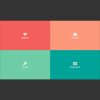
Today we’d like to share an experimental responsive layout with you. Initially, the layout shows four flexible boxes. When clicking on a box, it will expand to fullscreen and the others will scale down and fade out. When closing the current view, it will move back to the intial position while the other boxes come back up again. Another type of page transition can be seen on the works section where we will show a portfolio item by sliding in a panel from the bottom. The current view gets scaled down and disappears in the back.
All effects are done with CSS transitions and controled by applying classes with JavaScript. The whole layout is flexible and some media queries are added to size down things for smaller screens.
Moving Perspective : jQuery Flexible parralax Slider plugin

Flexible parralax jquery plugin to create outstanding single perpective and persepective sliders. This is only one perspective script with slider possibility. It is flexible,configurable and easy to use.
Features:
- flexible configuration every moving element
- configurable by html attributes or javascript
- works on every browser from ie7
- responsive for mobile devices and all screen resolutions
- handles touch events
- can be used as single perspective or as slider
- can be used many times on one page
- can be nested ( phone examples )
- has slide effects: fade, slideUp, slideDown, slideLeft, slideRight
- uses css3 perspective
- handles image and video loading
- contains 3 slider navigation themes
- has callback function on moving so can be extended
TextFX2 : CSS3 Text Animations

TextFX2 is a CSS3 Transition + CSS3 3D Transform plugin, and as stated above, all animations will revert to a simple fade for IE8, IE9 and Opera.
Features:
- Easily create animated sequences like the one shown in the demo. No manual scripting involved!
- Animate multiple lines of text, examples included in source.
- Option to automatically loop sequenced animations.
- Option to randomize a sequence.
- Hyperlink animated text.
- Animate text on the fly with TextFX2’s API methods.
- Free from jQuery = no jQuery conflicts!
jQuery Responsive Multi-Level Menu with CSS3
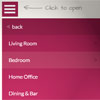
Today we want to share an experimental drop-down menu with you. The main idea is to save space for menus that have a lot of content and sub-levels. Each sub-level in this menu will be shown in its own context, making the “parent” level disappear. This is done with subtle animations that are defined in separate animation classes. The menu is fluid so that it can be used easily in a responsive layout.
Slide and Push Menus in CSS & JavaScript

A set of fixed menus that will slide out from any of the edges of the page. The two menus that slide out from the left and right side can also be used in combination with the body moving to the left or right side, respectively, hence being “pushed”.
There are examples of how to trigger the opening and closing of the menus and some example media queries.

Creating Windows-8-like 3D animations with CSS3 and jQuery

I have recently realized that it’s been such a long time since CSS3 animations were introduced into the web, and yet I haven’t really experimented or made any demos with them before.
I’ve also been using Windows 8 for a while now (and loving it), and the first thing I thought was impressive about it, was the transitions and animations built into the dashboard, so I thought it would be really cool if my first experiment with 3D would be to duplicate the effects I saw in windows 8 into a demo of my own.


