

Today we’d like to share some experimental and creative link effects with you. The idea is to use pseudo-elements and animate them to create a subtle and modern effect. In the examples we are using hover transitions, but you could also imagine these effects on click or as an initial animation.
Best jQuery CSS2 / CSS3.0 Plugins & Tutorials with Demo
3D Effect for Mobile App Showcase with CSS3 & JavaScript
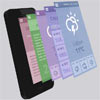
Today we’d like to share an experimental 3D effect with you. It involves a 3D mobile device and some mobile app screenshots. When clicking on a toggle button, we’ll animate the mobie device to rotate and we’ll move each screen so that we have a layered view in the end. You have surely seen this kind of presentation of apps before and we thought it might be fun to do it in CSS.
Google Nexus Website Menu with CSS3 & JavaScript
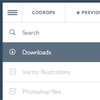
A tutorial on how to re-create the slide out sidebar menu that can be seen on the Google Nexus 7 website.It slides out with a really nice effect where some subitems get expanded as well. When hovering over a special menu icon, the sidebar icons will be revealed. When clicking on the icon, the whole sidebar menu will be shown. The first sidebar menu item is a search input which is styled the same way like the other menu items.
We will reconstruct this menu using unordered, nested lists and some CSS transitions. We’ll use JavaScript to apply classes for the opening effects and handling the hover and click events. With the help of a media query, we’ll adjust the size to make sense for smaller devices.
Show Icon on Mouse over Thumbnail Image using jQuery & CSS

Here I am going to tell how to show a icon on mouse over thumbnail image using simple jQuery & CSS.Now a days most websites are using this trick. In this tutorial You are going to show a link icon on mouse over anchored thumbnail, showing play icon on mouse over video thumbnail & showing Zoom icon on gallery thumbnails.
jQuery Pull-Out Content Panel with CSS3 Animation

This panel has been created to fit into any website with a clean and professional design. It can be fixed on the left or on the right and can contain any type of content : headings, texts, lists, images, videos, etc. The custom scrollbars packed in this menu will automatically appear when needed and if you need to add even more content, you can use the infinite carousel to scroll between each part of the panel.
Features:
- Powerful sliding side panel
- Left or right position
- Custom automatic scrollbars
- Infinite sliding carousel
- Toggle elements
- CSS3 animations
- Styled typography
- Simple working contact form
- For any type of content
- Font-Awesome icons
- Fits into any page
- Clean and professional design
- Cross-browser support
- Designed for desktop computers, tablets and mobiles
Effeckt.css : CSS3 Performant transitions & animations with jQuery

Ever notice how small flourishes and subtle transitions dramatically increases the value of the experience you enjoy with an app or site?
Designing and developing UIs for the mobile web is tricky, but it’s extremely difficult to do that while delivering something that performs at 60fps. The best opportunities to getting jank-free transitions on phones/tablets are CSS transition and keyframe animation based, especially tapping into hardware-accelerated transforms and opacity changes.
Creative Add/Remove Effects for List Items with CSS3 & jQuery

In today’s tutorial, we’ll be creating some creative animations and transitions for adding and removing items from a list, inspired by the concept from Pasquale D’Silva’s article on Medium. Chris Coyier coded the transitions from Pasquale’s article.
In this tutorial I’m extending Pasquale’s example, adding more animations and transitional effects, and I’ll also be using a small snippet from Chris’s article to add an extra step in each animation, which “makes room” for the added items before they are actually added.
Our Metro Sidebar : jQuery Navigation Menu
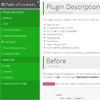
Our Metro Sidebar display a sidebar with metro style, ideal for use on tables of content, navigation menus or management interfaces. Some features are:
Easy to use. Changeable Metro Colors. Full jQuery & css compatible. Hide and show. Checkboxes. Submenus. Metro design style. Auto overflow handling by scroll.
S Gallery: A Responsive jQuery Gallery Plugin with CSS3 Animations

S Gallery is a responsive jQuery gallery plugin with CSS3 animations.It is inspired from SONY’s products gallery which is made in Flash.The gallery is accessible by keyboard and you can navigate through the images via keyboard shortcuts.
The plugin makes use of HTML5’s FullScreen API, and relies heavily on CSS3 animations goodness and CSS3 transforms, so it will work only in browsers that support these features.


