Best jQuery CSS2 / CSS3.0 Plugins & Tutorials with Demo

    Advanced Off Screen Menu with jQuery & CSS3

    Advanced Off Screen Menu with jQuery & CSS3

    Think of it as a full-screen off-screen menu on (a)steroids.It is an HTML5/CSS3 responsive solution for using (and making) animated large off-screen menus. It uses CSS transitions that are hardware accelerated and much faster then jQuey animations.

    • 20 responsive presets. (Check the live preview button to test them.)
    • Browser based Editor with 30 presets.
    • Compatible with all HTML5 browsers INCLUDING MOBILE! (IE10+, Chrome, Safari, Opera, Firefox). Tested on iOS and Android.
    • Simple usage, include 2 files (css and js) and add literally 2 lines of code.
    • requires almost NO change on existing HTML sites.

    Product Tour with jQuery & CSS3

    Product Tour with jQuery & CSS3

    A responsive tour snippet, with a step-by-step guide to help users understand how to use your website.

    Animated Alert with jQuery & CSS3

    Animated Alert wit jQuery & CSS3

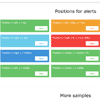
    Animated alerts are the JQuery plugin based on css3 animation. Using it you can effectively communicate to users the right information. There are 68 animations, multiple color themes and types of messages and detailed documentation. Also you can develop your own themes, because of the efficient organization of the code. The plugin works in all modern browsers and on all devices.

    Pinto : jQuery Grid Layout Plugin

    Pinto : jQuery Grid Layout Plugin

    Pinto.js is a lightweight and customizable jQuery plugin for creating pinterest like responsive grid layout. Pinto.js is intended for easy use and is fully deployable within minutes. The minified version is under 1KB.

    • lightweight (the minified version is under 1KB)
    • autosize support
    • fluid item width
    • animation (CSS3 transition)

    Image Tilt Effect with CSS3 3D Transform

    Image Tilt Effect with CSS3 3D Transform

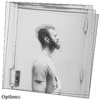
    A subtle tilt effect for images. The idea is to move and rotate semi-transparent copies with the same background image in order to create a subtle motion or depth effect.

    Product Comparison Layout & Effect with CSS3

    Product Comparison Layout & Effect with CSS3

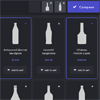
    A basic responsive product grid layout with comparison functionality and a slide-in effect.This Blueprint is a responsive product grid layout with comparison functionality. A maximum of three items can be selected for the product comparison. The comparison view shows flexbox-powered columns or rows (depending on the viewport size) that appear with a slide-in effect. There are a couple of example media queries for smaller viewports.

    Iconate.js : Animated Icons with JavaScript CSS3

    Iconate.js : Animated Icons with JavaScript CSS3

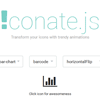
    Iconate.js is a tiny performant library for cross-browser icon transformation with trendy animations in your projects.

    Motion Slider jQuery Plugin

    Motion Slider jQuery Plugin

    Motion Slider is a responsive jQuery slider plugin for mobile and desktop that enables multi-transition and browser prefix free CSS animation to your HTML DOM elements.

    • Easy CSS Animation with Multiple Transitions
    • Create Cool 2D and 3D Transforms
    • Works with CSS3 Animation
    • No Browser Prefix Needed
    • Use Text, ScrambleText, Bezier and Physics2D Plugins
    • Break Apart an Image into Tiles or Text into Lines, Words or Characters
    • Fully responsive
    • Cross-browser, IOS and Android Compatible
    • Multiple Sliders in One Page
    • Smart Loading Using Adaptive Images

    Animated Page Transition with CSS3 & jQuery

    Animated Page Transition with CSS3 & jQuery

    A CSS powered animation, that replaces the refresh of the page while the content is updated using Ajax.We used the pushState method to manipulate the browser history.

    jQuery Layered Navigation with CSS3

    jQuery Layered Navigation with CSS3

    Layered navigation allows you to easily implement a new navigation system using the jQuery JavaScript library. It combines the presentation into two sections, you won’t need cutting the images into two, an entire section, and through slides at once. It includes CSS3 animations to show the elements, a side menu to show sections and a progress bar indicates the progress along web site. It allows you to include maps and videos in a fast and easy way.