Best jQuery CSS2 / CSS3.0 Plugins & Tutorials with Demo

    3D and 2D Transforms for jQuery: TransformJS

    3D and 2D Transforms for jQuery: TransformJS

    TransformJS is a jQuery plugin which exposes new CSS properties accessible through .css() and .animate() which you can use to apply and manage transformations to a jQuery element.

    TransformJS uses feature detection to analyze the supported features of the browser it is running in and adapts accordingly and it maintains an in-memory matrix which it uses to apply the transforms.

    The ability to use transforms without constructing huge stylesheets for x-browser compatability is nice.

    Tipped a beautiful jQuery HTML5 tooltips plugin

    jQuery HTML5 tooltips plugin

    Tipped allows you to easily create beautiful tooltips using the jQuery Javascript library. Tipped takes tooltips to the next level by using HTML5 to give you full control over the look and feel of your tooltips.

    The entire skin of the tooltip, from shadow to loading icon, is drawn using Canvas. This means you can easily change the style of your tooltips without having to create any images.

    Make a Fluid Thumbnail Bar with jQuery

    jQuery Fluid Thumbnail Bar

    The idea of a fluid thumbnail bar is simple: Create a list of thumbnails within a space where the overflow can be flipped through page by page. Speaking of pages, make sure we’re on the same one by checking out the demo page.

    To be clear, this tutorial is intended to show you how to add this functionality to an existing list of images, in hopes you can use it to compliment whatever your current setup might be.

    Developing a jQuery Private Messaging Modal Box

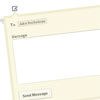
    jQuery Private Messaging Modal Box

    I have designed the functionality to look and feel like a private messaging solution. This is perfect to implement on a user profile page or author’s page in a blog. We will be using some handy CSS3 techniques along with coding the page structure in HTML5. You don’t need to be a master jQuery artist to understand this tutorial, but it wouldn’t hurt to brush up on the basics.

    Making a Beautiful HTML5 & jQuery Portfolio

    HTML5 & jQuery Portfolio

    In today’s tutorial we will be making a beautiful HTML5 portfolio powered by jQuery and the Quicksand plugin. You can use it to showcase your latest work and it is fully customizable, so potentially you could expand it to do much more.

    ChopSlider – jQuery & CSS3 animated Slider

    ChopSlider - jQuery & CSS3 animated Slide

    This awesome slider with a chopping effect was last updated on June 20, 2011. The ChopSlider uses full power of CSS3 animation, has own CSS3 support detection and even old or Internet Explorer support it, a little bit different but still awesome. It will be free under the MIT license, once released. The creator still runing some tests.

    Extreme Makeover: jPaginator CSS3 Edition

    jquery pagination with jPaginator plugin

    jPaginator aims to improve the user experience of long pagination lists by offering a slider to animate links left and right. In this tutorial, it teach you how to skin jPaginator into something beautiful.

    Display your Favorite Tweets using PHP and jQuery

    Display your Favorite Tweets using PHP and jQuery

    If you have a twitter account, you oftentimes find yourself looking for a way to display your latest tweets on your website or blog. This is pretty much a solved problem. There are jQuery plugins, PHP classes andtutorials that show you how to do this.

    However, what happens if you only want to display certain tweets, that you have explicitly marked to show? As minimalistic twitter’s feature set is, it does provide a solution to this problem – favorites.

    In this tutorial, we will be writing a PHP class that will fetch, cache, and display your favorite tweets in a beautiful CSS3 interface.

    Bubble Slideshow Effect with jQuery

    jQuery Bubble Slideshow Effect

    Today we will be building a jQuery-powered bubble animation effect. It will be a great way to present a set of images on your website as a interesting slideshow. And as the code will be completely modular, you will be able to easily use it and modify it.

    Making a Photoshoot Effect With jQuery & CSS

    Making a Photoshoot Effect With jQuery & CSS

    We are creating a photo shoot effect with our just-released PhotoShoot jQuery plug-in. With it you can convert a regular div on the page into a photo shooting stage simulating a camera-like feel. Using this plug-in, we give visitors the ability to take shots of the background image.