
Graphs of financial projections, quarterly sales figures and market saturation are a middle-manager’s dream.How can we as Web designers get in on all of this hot graph action? There are actually quite a few ways to display graphs on the Web. We could simply create an image and nail it to a Web page. But that’s not very accessible or interesting. We could use Flash, which is quite good for displaying graphs — but again, not very accessible. Besides, designers, developers and deities are falling out of love with Flash. Technologies such as HTML5 can do many of the same things without the need for a plug-in. The new HTML5 <canvas> element could even be adapted to the task. Plenty of charting tools are online that we might use.
Best jQuery CSS2 / CSS3.0 Plugins & Tutorials with Demo
Create An Animated Bar Graph With HTML, CSS And jQuery
How to Create a Fantastic jQuery Photo Album with TN3

During browsing web – I noticed new interesting library – TN3. This is jQuery image gallery with slideshow, transitions effects, multiple album options etc. Plus you will able to customize it (via CSS). Today I will show you how you can implement this gallery to create own photo album.
Responsive Image Gallery with Thumbnail Carousel

Today we want to show you how to create a responsive image gallery with a thumbnail carousel using Elastislide. Inspired by Twitter’s “user gallery” and upon a request to show an integration of Elastislide, we want to implement a responsive gallery that adapts to the view-port width. The gallery will have a view switch that allows to view it with the thumbnail carousel or without. We’ll also add the possibility to navigate with the keyboard.
Create Sticky Notes To-Do List In CSS And JQuery

In this tutorial you will learn how you can create your own simple To-Do list using CSS and JQuery.
First you will design the To-Do list, this is going to be a simple form where you can quickly add your tasks for the day.
Then we will learn how to take this list and turn the items on it into Sticky Notes so you can display this information in a graphical way to help you remember.

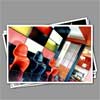
ShineTime – A New jQuery & CSS3 Gallery With Animated Shine Effects

I’d like to show you how you can create a kick-ass animated Shine Effect with jQuery & CSS3 and then use it to create your very own Shiny Gallery ‘ShineTime’. This effect is useful in making your user interface elements look like they’re a real polaroid photo (or made of glass) and the best part is, it’s not that difficult to achieve.
Slide Navigation Using JQuery With Easing Plugin

The navigation at apple mac page are using an easing effect, it separating each product by the category, I love the effect when user click on the navigation it like the products appear and disappear one by one, with the easing effect on the end movement, like bouncing on the vertical line
If you see the source code on apple page, seems they are still using prototype.js, once are the most popular javascript framework, before the appearance of jquery. In this post I want to create something like the apple mac navigation menu using jquery easing plugins.


