

In today’s tutorial we’ll show you how to create some cute looking photo strips and integrate Lightbox 2, one of the most popular and widely used lightbox scripts. The idea is to show some photo strips and make them navigable by scrolling with the mousewheel. When clicking on a picture we will show the larger version using jQuery Lightbox 2. We will also optimize it for touch devices.
Best jQuery CSS2 / CSS3.0 Plugins & Tutorials with Demo
Slide-in backgrounds with jQuery
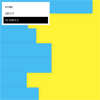
In this tutorial I’ll give you a quick run down of how to go about creating this slide in effect.There are a few things we want to accomplish. The code I provide below is just a quick roundup of how this effect is accomplishable. I do plan to turn this into a plugin at a later date with a much wider breadth of applicability.
- Firstly we must generate the ‘slices’ in Javascript. This will be determined by screen width and will have to change as the user resizes their window.
- Next we need the slices to slide in. We can do this with animations, but we don’t want the animations to queue in such a way that it ruins the effect
- We want the slices to reset when another animation comes on top of it.
- The slices should be positioned absolutely so content can be placed on top if it.
MetroPanel – Navigator for Modern Sites with jQuery,Html5 & Ajax

MetroPanel is new navigator system for modern sites with following features
Features:
- Two Panel Position: left and right
- Unlimited Items
- Unlimited background
- AJAX + HTML5 smart load for SEO
- jQuery + CSS3 Animation Effects
- Auto Show or Auto Hide Panel
- Easy Deploy for Almost Sites
- Many Options for Custom
Zoom out share button with jQuery and CSS3
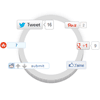
When it comes to attracting attention to yourself on the internet, nothing does a better job than share buttons. Whether its twitter or google plus, social media probably has a huge impact on your traffic. I set out to create an attention grabbing way to display buttons, and came up with this: a circle that expands revealing a bunch of share buttons on hover. Read on to learn out how to do it, and check out the demo!
Carousel Photo slider with Php and jQuery

To continue with our experiment series, our designing and programming team joined forces to create an amazing carousel vintage photo slider with PHP and jQuery. This is definitely a nice photo slider to be applied in different websites so you can showcase your work in a more original way. This tutorial is going to cover the programming part of the carousel (stay close to find out the release time of the design part) so you can learn how we did this fancy photo slider and you can adapt it to your own projects.
Rotating Feature Boxes with jQuery & CSS3
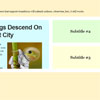
The full effect of it (with transition animations) will work in newish WebKit and Opera browsers and Firefox 4 above. Any other browser will rotate the blocks without transition animation.
All the animation is CSS3 transitions. JavaScript only watches for the clicks and applies and removes classes as needed. Why not use JavaScript for the animations as well and get wider browser support? CSS3 is far better suited for this. The animations are better (hardware accelerated). It doesn’t slow down other JavaScript. It is also easier to write keeping the animations in CSS. With JavaScript we aren’t able to animate to classes* easily.
Build a parallax scrolling website interface with jQuery and CSS

Parallax scrolling website interfaces have been popping up all over the place recently. I didn’t want to miss out on the fun, so I have put together a parallax scrolling demo built using jQuery and CSS. Parallax scrolling is a 2d animation process that creates an illusion of depth by animating foreground layers faster than background layers. When you observe the landscape from a moving car, objects closer to the car appear to pass you faster than scenery further away. Parallax scrolling uses the same principle to trick the viewer into thinking they are observing a 3d scene.
Create CSS 3D Transform Card Flip Gallery with jQuery

In this tutorial, we are going to apply card flip effect to a set of thumbnail gallery. We just want to demonstrate one of the simple way to use it. One thing though, CSS 3D transform is not a mature standard yet and only modern browsers are supporting it. As a result, to make this demo usable, we will make it degrade gracefully and replace it with scroll up effect.
Showcase Product Feature in 3D Style with jQuery & CSS3

Focus on showcasing our product features can be a good choice for attracting user on landing pages. By showcasing in 3D style also a good choice, in this tutorial I am going to share how to showcase our product feature in 3D style using CSS3 3D Transform and jQuery.
The showcase will be displaying product image and tagline. The tagline will be positioned in the middle of product image, so there will be product image in two positions, left and right of the tagline. These images will be rotated in 3D around y-axis with angle of rotation -35 degree for the left image and 35 degree value for the right, the image will be rotated.
Elegant Accordion with jQuery and CSS3

jQuery Elegant Accordion plugin has following features :
- Auto-rotate through all the slides with extra options
- Pause on hover
- Stop rotation on click of a slide
- Option to stop rotation at the end of the slides
- Options for setting delay, animation speed and easing
- Ability to set active slide onload using hashes (index.html#panel1-3)
- Works with multiple instances on the page
- Ability to specify width of active slide while automatically adjusting inactive slides


