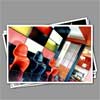
In the previous tutorial we created a tutorial that was controlled by clicking the next link which took the top most image in a stack and placed it at the bottom of the stack, today we are going to automate the flipping through of the images by adding a simple autoadvance function.
Best jQuery Animation Plugins & Tutorials with Demo
ShineTime – A New jQuery & CSS3 Gallery With Animated Shine Effects

I’d like to show you how you can create a kick-ass animated Shine Effect with jQuery & CSS3 and then use it to create your very own Shiny Gallery ‘ShineTime’. This effect is useful in making your user interface elements look like they’re a real polaroid photo (or made of glass) and the best part is, it’s not that difficult to achieve.
3D and 2D Transforms for jQuery: TransformJS
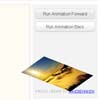
TransformJS is a jQuery plugin which exposes new CSS properties accessible through .css() and .animate() which you can use to apply and manage transformations to a jQuery element.
TransformJS uses feature detection to analyze the supported features of the browser it is running in and adapts accordingly and it maintains an in-memory matrix which it uses to apply the transforms.
The ability to use transforms without constructing huge stylesheets for x-browser compatability is nice.
Slicebox – A fresh 3D image slider with graceful fallback
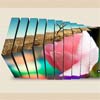
With the CSS3 3D transformations we can create some neat effects by transforming elements in three-dimensional space. Slicebox makes use of the 3D transforms properties and allows different kind of effects. The main idea is to create three-dimensional image slices that will rotate and reveal the next image as another side of the 3d object. In case the browser does not support 3D transformations, a simple slider will be used as fallback.


MyFloatingBg a jQuery background animation plugin

This plugin create a moving background image for your page. It can be apply to any div, table or body element of your document. Sometimes you want to create simple but nice banner or background for your page. Static page is a bit boring for some contents. You may want to add some dynamic images. But you may want to use flash as it will not work on any apple mobile device. This plugin create a repeatable background, with configurable moving speed and direction. You are separating the text and background images. unlike using image banners, you do not need to change your banner images after you updating your text. In addition, it can work with document body.

Mobiscroll a jQuery UI Date picker for touch devices

A wheel scroller user control optimized for touchscreens to easily enter date and/or time. The control can easily be customized to support any custom values and can even be used as an intuitive alternative to the native select control (dropdown list). It is designed to be used on touch devices as an alternative to the jQuery UI date picker.