Best jQuery Animation Plugins & Tutorials with Demo

    Typography Effects with CSS3 and jQuery

    Typography Effects with CSS3 and jQuery

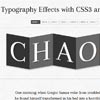
    Today we will create a set of nice typography effects for big headlines using CSS3 and jQuery. There are many things we can do with CSS3 animations and transitions and we’ll explore some of the possibilites.

    We’ll be using Lettering.js in order to style single letters of the words we’ll be having in our big headlines.


    Animated Rocket with jQuery and CSS transform

    Animated Rocket with jQuery and CSS transform

    The examples on this page will work properly in Safari, Chrome and Opera. In the Firefox prior to version 4 you will see the transforms, but without any animation. Some effects may also work now in Internet Explorer 9 if you use the -ms- vendor prefix.

    The implementation of animation in CSS involves setting up a transformation to take place in response to a mouseover or other event. Then, rather than applying the effect instantly, we assign a transition timing function which applies the transformation/s over a set time period.

    Hover and Click Trigger for Circular Elements with jQuery

    Hover and Click Trigger for Circular Elements with jQuery

    Applying a :hover pseudo-class to an element is widely known as the classic “hovering” over an element on a web page. A problem that arose with the introduction of the border-radius property is the non-realistic triggering of the hover event when entering the bounding box of the element and not just the actual visible area. This becomes extreme when we create a circle by setting the border-radius of a square to 50% (half of its outer width and height).

    Today we want to share one possible solution to the circle hovering problem. We’ll create a plugin that will take care of the ‘mouseenter’, ‘mouseleave’ and ‘click’ events to be triggered only on the circular shape of the element and not its bounding box.

    UItoTop jQuery scroll to top dynamic Plugin

    UItoTop jQuery scroll to top dynamic Plugin

    Inspired by the great idea of David Walsh’s jQuery topLink Plugin, I made a similar plugin but with two key differences, this one does not require you to add extra html markup or extra plugins to function. It will only work when JavaScript is turned on ( on purpose ), It’s easy to setup with only one line of code, and it works cross-browser nicely ( Tested: IE6-8, FF, Safari ).

    Optionally it can benefit from the jQuery Easing plugin with a different easing animation for the page scrolling.

    Kinetic – jQuery Text Animation

    Kinetic Text Animation using jQuery

    I thought about making one using jQuery. And I sort of did. It’s not exactly a “kinetic animation” but it just somewhat like it. And its very small. Usually kinetic animations are of at least a minute, this is just a few seconds. But hey, it’s all done using jQuery. This is just done to show that a kinetic animation can really be achieved using jQuery. I, being a jQuery n00b for now (and more when I made this), couldn’t do more with it. I still don’t know if we can rotate text in jQ, else that’ll be COOL!

    jQuery Page Peel

    jQuery Page Peel

    This little jQuery plugin which does exactly what it says on the tin – creates a page peel! This is a little page animation which sits at the top right hand of the screen and when the mouse hovers it the page “peels” down and reveals the content behind it. It could be used to display a popular area or feature of your website but is most commonly known these days to display advertisements. Let’s face it the page peel grabs your attention straight away!

    jQuery Transit a Super-smooth CSS3 transformations and transitions

    jQuery CSS3 transformations and transitions

    jQuery Transit  a Super-smooth CSS3 transformations and transitions.You may rotate using rotateX and rotateY. Using perspective is optional, but it should always come before rotateX/Y.You can animate any available CSS property….

    jQuery Html5 Canvas Preloader

    jQuery Html5 Canvas Preloader

    Now you can preload your HTML 5 page with this nice plug in, passing data via JSON. You can customize it changing colors and style. It can preload video, audio, images and js

    jTicker – Text in a ‘ticker tape’ style

    jTicker – Text in a ‘ticker tape’ style

    jTicker takes an elements’ children and displays them one by one, in sequence, writing their text ‘ticker tape’ style. It is smart enough to ticker text from an element heirarchy, inserting elements back into the DOM tree as it needs them. That means almost any content can be ‘tickered’.

    Wave Display Effect with jQuery

    Wave Display Effect with jQuery

    Today we want to share an experiment with you that let’s you show images and content in a unique form – a wave. The idea is to initially have some smaller thumbnails rotated and placed in the shape of a sine curve. When clicking on a thumbnail, we’ll “zoom” in to see a medium sized version. Clicking again will make the large content area appear; here we will show some more content.