Best jQuery Animation Plugins & Tutorials with Demo

    Item Blur Effect with CSS3 and jQuery

    jQuery css3 Blur Effect

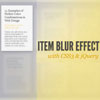
    Today we want to show you how to create a simple blur effect for text-based items. The idea is to have a set of text boxes that will get blurred and scaled down once we hover over them. The item in focus will scale up. This will create some kind of “focus” effect that drwas the attention to the currently hovered item.

    We’ll be using CSS3 transitions and some jQuery to apply the respective classes. Since CSS3 transitions are not supported in order browsers, the demo should be best viewed in Safari or Chrome (here we got the smoothest transitions).
    NyroModal a jQuery Modal window

    NyroModal a jQuery Modal window

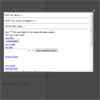
    Designers seem to like using modal windows more and more, as they provide a quick way to show data without reloading the entire page. It’s easy to use and easy to design.The big problem I experienced with every plugin I tried either using Prototype/Scriptaculous or jQuery is the customization. They say you can do whatever you want simply but that’s not fully true. The default CSS works fine, but most of time it’s a mix between required elements and optional. That mean you have to be very careful when editing it.The other problem is the animation. That’s the worst point. I never found one plugin allowing to redefine easily the animations.

    I tried to solve these problems with my plugin. I documented everything possible. Regarding the animations, you can simply redefine them from A to Z. Thanks to the useful jQuery function like animate or fadeTo it’s pretty simple.
    nyroModal v2 now works with filters that let you define totally new possibilities for the plugin about the way it should work.

    QuickFlip 2: The jQuery Flipping Plugin

    QuickFlip 2: The jQuery Flipping Plugin

    QuickFlip works by using an animation shortcut that is barely noticeable when flipped quickly (hence the name). This shortcut improves performance while allowing the flip effect to work smoothly with any piece of markup regardless of images, backgrounds or CSS.

    It provides an attractive alternative to other slower and more resource heavy Flash and jQuery flip animations. However if you want a smoother option with a depth effect try jQuery Flip!, although this only works with background colors (not images) and hides the panel content before flipping.

    spin.js – animted jQuery CSS3 loading spinner

    spin.js - animted jQuery CSS3 loading spinner

    spin.js is an animated CSS3 loading spinner. You can adjust every single parameter: number of lines, length and width of lines, radius, trail, speed of spinning, and whether there’s a shadow or not.

    jQuery CSS Animation and Rotate

    jQuery CSS Animation and Rotate

    In today post I try to do a little experiment with css animation, with jquery to generating css value on the fly. When this post created the this animation examples only works on firefox and chrome browser.In this tutorial I try to create a stack of images, on the default position each of images have a different angle, and rotating to the same angle in the same duration of time.

    jQuery Plugin For Rotating Image

    jQuery Plugin For Rotating Image

    Creating a jquery plugin is easier than it sound, first time I heard about creating 3rd party plugin sounds scary, maybe need more deeper understanding about the platform, but not in jquery. Well I just feel something missing if I have been using jquery for a while not to creating a plugin.Few month ago I have created a simple tutorial to rotating image using jquery, now it would be nice if  I can used as a plugin, and now it a chance to learning simple jquery plugin.

    Lateral On-Scroll Sliding with jQuery

    jQuery On-Scroll Sliding

    After getting the request, we are going to show you how to create a “slide-in on scroll” jQuery effect. You’ve probably seen this cool effect on some websites, like on Nizo or in the portfolio section of brilliantly designed La Moulade. The main idea is to laterally slide in elements depending on the scroll position of the document. Dividing the page into a left and right side, we want to move the elements from “outside” of the page to the center when they are in the viewport. We will also add the option to move the elements in 3D space.

    The theme of today’s tutorial is going to be a timeline where we will have some circular elements on one side and the descriptions on the other. We’ll be alternating the sides to create a random look.

    Shiny Knob Control with jQuery and CSS3

    Shiny Knob Control with jQuery and CSS3

    In this tutorial we will be writing a jQuery plugin for creating a shiny knob control. Aptly named knobKnob, this plugin will use CSS3 transformations and jQuery’s new event handling methods to give visitors of your website a new way of interactively choosing a value from a range.

    Cool Background Image Sliding effect with jQuery

    Cool Background Image Sliding effect with jQuery

    Today I am going to show you how to create sliding image cell effect in jQuery. This is will something like small photo gallery. I prepared 3 demos for you with different effects. Please pay attention that our demo will work in browsers that support used CSS3 properties.

    Xml Driven Vertical News Scroller Script Using jQuery vScroller

    Xml Driven Vertical News Scroller Script Using jQuery vScroller

    Adding scrolling content to your website or blog makes much sense – it allows you display latest news, promotions, product updates, announcements, upcoming events, calendar items and much more in a limited space. It also allows you to add dynamic content to otherwise static web pages.

    Today, we are featuring vScroller, a free XML-driven vertical news scroller for websites and blogs. Powered by jQuery, vScroller displays categorized and color-code content is a vertical scroll. Feeds come from standardized XML file and styled with simple CSS3 for a clean and attractive interface.