

Super-smooth CSS3 transformations and transitions for jQuery.
Best jQuery Animation Plugins & Tutorials with Demo
Pep.jQuery.js : jQuery kinetic-drag on mobile/desktop plugin with Demo
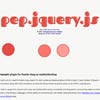
Pep was built out of a need for kinetic drag support for both mobile and desktop devices (click & drag). It uses the best of jQuery’s animate functions along with CSS3 animations to bring full-blown kinetic drag that works on all HTML5-ready devices.
Pep has built-in support for custom start, stop, rest (called when easing completes), and drag events, constraining objects to either their parent or the window, a debugger, and the ability to customize your own kinetic easing functions.
Direction-Aware Hover Effect with CSS3 and jQuery with Demo

In today’s tip we’ll show you how to create a direction-aware hover effect using some CSS3 goodness and jQuery. The idea is to have a little overlay slide in on top of some thumbnails from the direction that we are coming from with the mouse. When we “leave” the element, the overlay will slide out to that direction, following our mouse. This will create an interesting-looking effect.
Lytebox : jQuery content viewer with Demo
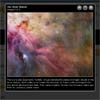
Lytebox is a lightweight, cross-browser compatible and mobile friendly Javascript library and content viewer. It’s easy to use, it’s fast, it’s compatible with other libraries, and best of all, it’s COMPLETELY FREE.
Lytebox can be configured by editing the main JavaScript file (lytebox.js), or by using the data-lyte-options attribute to set individual options on a per link/viewer basis. Use the left-hand navigation to see all the various options and configurations that can be set.
jQuery plugin: “Fly Off Page” with Demo
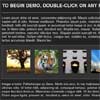
A new jQuery plugin, it’s called “Fly Off Page”. It will take selected elements and make them fly (not literally) off the page in a random or pre-defined direction. Customizable options include duration (of the animation), direction, tween (extend animation) and ‘retainSpace’ which allows you to retain, disregard or animate-out the space that the specified element once took up.
jqFloat.js : A jQuery Floating Effect with Demo

jqFloat.js is a jQuery plugin that able to make any HTML objects appear to be “floating” on your web page. It helps create simple floating animation and make your websites come alive with these little “floating” object.You can have several “floating” objects with different attributes within your web page. Also, you might make these floated objects “landing” through plugin’s method, and vice versa of course.


jQuery Lettering Animate with Demo

“jQuery Lettering Animate” is an extension of the “lettering plugin”, it iterates through each letter separated by the lettering and animates it.
First you apply the lettering effect to the dom element, then, you animate the letters passing as parameters the intro or the outro animation properties of each letter ,then, you set the plugin options “randomOrder”, “time” and “reset”, and the “onComplete” callback.


