Best jQuery Animation Plugins & Tutorials with Demo

    jQuery Sort and Order Portfolio Plugin

    jQuery Sort and Order Portfolio Plugin

    jQuery Sort and Order Portfolio Plugin has a following features :

    • Extendable filter and order buttons.
    • Customize CSS3 driven animation, graceful degradation.
    • About 30 kinds animation transition style, different in easeIn and easeOut.
    • Optional reverse order, you can set the order button support it or not.

    BetweenJS API : JS tweening engine

    BetweenJS API : JS tweening engine

    BetweenJS is Tweening Engine for JS.Highly inspired from BetweenAS3.Creates a Tween and apply it with an immediate effect, accurate for setting desired values in the time-range of the tween.Different type of tweens available are  regular tween, bezier tween,  time-unrelated tween,  Physical tween,  Reversed tween,  repeatable tween,  delayed tween, sliced tween,  time-streched tween, ActionTween.

    Notification bubble with CSS3 keyframe animation & jQuery

    Notification bubble with CSS3 keyframe animation & jQuery

    I had to emphasize somehow a dynamic notification bubble. Basically, every time the notification value changes, a visual effect was needed in order to get user’s attention. So I made that using CSS3 keyframe animation.I think this is a simple and practical example on how to use a CSS3 animation to enhance user experience. Further, you can experiment with the bezier curve values and come up with some other cool effects.

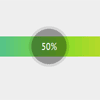
    Horizontal bar graph with CSS3 and jQuery

    Horizontal bar graph with CSS3 and jQuery

    Today we’ll create an animated, horizontal bar graph using jQuery, CSS3 properties (such as: gradients, border-radius, rgba) and CSS3 transitions.

    EaselJS : JavaScript Library to makes work with HTML5 Canvas element easy

    EaselJS : JavaScript Library to makes work with HTML5 Canvas element easy

    EaselJS is a library to make working with the Canvas element easier. It provides a display list to allow you to work with display elements on a canvas as nested objects. It also provides a simple framework for providing shape based mouse interactions on elements in the display list. This is useful for games, generative art, and other highly graphical experiences.

    EaselJS provides straight forward solutions for working with rich graphics and interactivity with HTML5 Canvas. It provides an API that is familiar to Flash developers, but embraces Javascript sensibilities. It consists of a full, hierarchical display list, a core interaction model, and helper classes to make working with Canvas much easier.

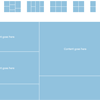
    jQuery Dynamic Grid: The Engine

    jQuery Dynamic Grid: The Engine

    Dynamic Grid is a jQuery plugin for generating an animated, responsive and great looking grid for your content – be it images, news feed, text and what not.

    With the help of some sophisticated algorithms the script fills the grid with cells with (optionally) random heights on every page load, and thus giving the widget a unique layout every time someone loads your page! Additionally, the algorithm is smart enough to prevent cells from being too big for the total size of the widget. Which means at any point in time, there is no cell that is only partially shown or hidden. It just works like it should!

    Number of options:

    • Number of columns
    • Number of rows
    • Random/fixed cell height
    • Padding between columns
    • Fluid/fixed width
    • Height
    • Easing effect
    • Animation speed
    • Animation interval

    Smart Wizard : jQuery plugin that gives wizard like Interface

    Smart Wizard : jQuery plugin that gives wizard like Interface

    Smart Wizard is a flexible jQuery plug-in for wizard like interface. It allows to group contents into sections and so it saves page space and also gives a neat and stylish interface for users. Using Smart Wizard 2.0 you can easily do input validation and so it is good for user registration and kind of tasks.

    Features:

    • Easy to implement, Minimal HTML required.
    • Ajax contents loading option.
    • Cool animation effects on step navigation. (none/fade/slide/slideleft)
    • Keyboard navigation option.
    • Horizontal and vertical style step anchors.
    • Easy step input validation option
    • Option to highlight error steps
    • In-built message box
    • Easy navigation with step anchors and navigation buttons
    • Can have multiple wizards on same page
    • Option to enable all steps on first load

    SeuratJS : Raphaël plugin for beautiful pointillized Animations

    SeuratJS : Raphaël plugin for beautiful pointillized Animations

    SeuratJS is a JavaScript library that extends Raphaël and allows for the creation of vivid animations and pixelated artwork using minimal code. It does this by extacting color data from an image of your choice and rebuilding the original with filled graphical primitives in SVG. Seurat makes it extremely easy to alter what primitives are generated (how they look and where they appear) and how they animate.

    SeuratJS uses the HTML5 canvas to parse color data and, because of this, the library operates entirely on the client side.

    How To Create The Google Circles Effect With CSS & jQuery

    How To Create The Google Circles Effect With CSS & jQuery

    This tutorial teaches you how to create a circle just like the one Google Circles use. As many of you might have already seen, one of the coolest features from Google’s new social project is the way you can easily add users to different circles to keep your social connections more organized.

    This tutorial will only cover how to create the actual circle and have it grow when your mouse goes over it. You will not learn how to do the little profile images that appear around the circle, though if there is enough demand for me, I can work on that in the near future.

    JSTween : JavaScript animation library for jQuery

    JSTween : JavaScript animation library for jQuery

    While good for simple effects, popular JavaScript libraries like jQuery lack the Oomph required to animate complex user interactions in the DOM. JSTween was designed from the ground up for speed and precision, allowing it to handle more simultaneous animations while maintaining a silky smooth frame rate.Animations in JSTween are kicked off by triggering the play() method.

    You can use functions to define any tween value in JSTween. This is really powerful enabling you to easily animate complex motions like particle effects, snow etc.. If you are animating more than one element using CSS selectors, the assigned function calls will be executed for each element passed into the tween.JSTween exposes a number of helpers to ease cross browser CSS3 issues. Use these to apply static effects to DOM elements.