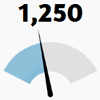
100% native and cool looking animated JavaScript/CoffeScript gauge
- No images, no external CSS – pure canvas
- No dependencies
- Highly configurable
- Resolution independent
- Animated guage value changes
- Works in all major browsers

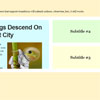
The full effect of it (with transition animations) will work in newish WebKit and Opera browsers and Firefox 4 above. Any other browser will rotate the blocks without transition animation.
All the animation is CSS3 transitions. JavaScript only watches for the clicks and applies and removes classes as needed. Why not use JavaScript for the animations as well and get wider browser support? CSS3 is far better suited for this. The animations are better (hardware accelerated). It doesn’t slow down other JavaScript. It is also easier to write keeping the animations in CSS. With JavaScript we aren’t able to animate to classes* easily.

Parallax scrolling website interfaces have been popping up all over the place recently. I didn’t want to miss out on the fun, so I have put together a parallax scrolling demo built using jQuery and CSS. Parallax scrolling is a 2d animation process that creates an illusion of depth by animating foreground layers faster than background layers. When you observe the landscape from a moving car, objects closer to the car appear to pass you faster than scenery further away. Parallax scrolling uses the same principle to trick the viewer into thinking they are observing a 3d scene.

Enrich your website experience with ThumbFx, a jQuery animation plugin that brings your images and content to life. Create unique animated effects effortlessly without any knowledge of jQuery. All effects are responsive and adapt perfectly for all device resolutions like mobiles, tablets and desktops
Features:
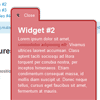
PullOuts is a stand-alone script based on a popular WordPress plugin – “PullOut Widgets”, and can be used on any website that supports HTML and JavaScript.PullOuts allows to grab any piece of content from a web page and display it as a pullout widget. Whether it’s a block of text, images, shopping cart, login, search or subscription form, a video or any other content – you can make it a pullout.
Features :

Focus on showcasing our product features can be a good choice for attracting user on landing pages. By showcasing in 3D style also a good choice, in this tutorial I am going to share how to showcase our product feature in 3D style using CSS3 3D Transform and jQuery.
The showcase will be displaying product image and tagline. The tagline will be positioned in the middle of product image, so there will be product image in two positions, left and right of the tagline. These images will be rotated in 3D around y-axis with angle of rotation -35 degree for the left image and 35 degree value for the right, the image will be rotated.

In this tutorial we will create a circle with a handle which will open once the little handle is clicked, creating a realistic 3D flipping effect with the help of CSS 3D transforms and shadows/gradients.
Today I would like to show you how to create a little component with a realistic touch. The idea is based on the sweet paper effect found in the video of the Google Developer Stories. Maybe you have created these kind of paper effects when you were a kid; basically something opens or rotates when pulling or pushing some handle.
We’ll create a circle with a handle which will open once the little handle is clicked, creating a realistic 3D flipping effect with the help of CSS 3D transforms and shadows/gradients.

There are many ways on displaying our portfolio, one of them is using grid style with slider effect for pagination. In this tutorial I’m going to share about how to displaying our portfolio grid with flipping slider effect for pagination using jQuery & CSS3 Transform.
The slider will change our portfolio images when it’s flipping, this flipping effect is triggered by user click on the pagination. So when user click a page each of our portfolio images will flipping 360 degree and when its animation near end the image will changed with new image.
We will create four flipping effects that will be used for animation, there are : horizontal left direction, horizontal right direction, vertical top direction and vertical bottom direction. These effects will be randomly choosen when displaying the image.

jQuery’s animate function, you can animate all kinds of css-properties. What’s really missing from jQuery is animating colors.This plugin also adds rgba-colors, so now you can animate the transparency of the background and foreground text independently. Beware that Internet Explorer 8 and earlier don’t support rgba-colors. This plugin will add this feature. With this plugin, you can animate the following properties:

This is an example of the Mac OS X dashboard featuring drag and drop icons, 3D flip apps with jQuery. Tranforms and transitions are used to achieve the best effects. Degrades for browsers that lack support.
Features


