
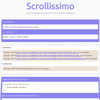
Javascript plugin for smooth scroll-controlled animations. Scrollissimo animates Greensock’s tweens and timelines on user’s scroll.
Best jQuery Animation Plugins & Tutorials with Demo
Animatic : Advanced WordPress Frontend Animator

Animate your existing stuff in your website and create complex animation composed of your images.
- Create complex & layered animations composed of multiple images,
- Integrates right into the Media Manager for easy image placement for animating,
- Live frontend editing using the Animatic Panel,
- Very easy to use and intuitive controls,
- 50+ Animations & transitions,
- Change values using your mouse,
- Hardware accelerated animations,
- Bonus: includes the Animatic Visual Composer element

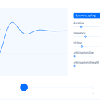
liMarquee : jQuery Marquee Plugin

Plugin liMarquee is an analog tag «marquee» and as he is not limited to strings and allows you to move (skrolirovat) any elements of a web page – images, text, tables, form elements, etc.
Features:
1. Moving can be set not only horizontally but also vertically (in either direction).
2. Marquee liMarquee stops when the mouse.
3. Tickers You can move the mouse, and move on to a comfortable reading or viewing position
4. Possible Alternative text from an XML file.
5. The ability to dynamically change the speed, and many others

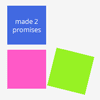

Minimit Anima : Css3 Transitions and Transforms with jQuery

Jquery plugin to animate with Css3 transforms and transitions with fallback for older browsers.It’s built to have fast animation execution, and it has an api similar to jquery animate, with animations queueing.
By default the anima method do automatic fallback animations on browsers without transitions or transform3d, and instant animations on browsers without transform.It also does scale, rotate and skew animations on browsers without transitions.
GifLinks : JavaScript Full Screen Gif Action
A simple javascript library used for adding full screen gif action as a hover effect.
GifLinks is a stand alone library (no jquery, or the likes) so usage is pretty straight forward. All styling of elements is up to the user, GifLinks.js only handles the creation, styling and management of the gif popup, as well as providing a few css classes for custom styling.


