Best jQuery Core Java Script Plugins & Tutorials with Demo

    Flickrshow : Simple Javascript slideshow for Flickr

    Flickrshow : Simple Javascript slideshow for Flickr

    Flickrshow is a very simple Javascript slideshow for Flickr. It doesn’t require any web-development expertise, any particular Javascript frameworks, (although it works with all of them), or any hosted web space. It works in all modern web browsers, and Internet Explorer 6.Flickrshow can display the latest images uploaded to Flickr in less than 40 characters.

    Although Flickrshow does not require jQuery, if JQuery is detected Flickrshow will add a convenient wrapper function allowing you to use Flickrshow as you would any other JQuery plugin.

    Pull Off Awesome Scroll Effects With Stroll.js

    Pull Off Awesome Scroll Effects With Stroll.js

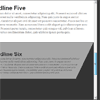
    Stroll.js is a super easy to implement library that makes applying mind-boggling scroll effects a breeze. All you have to do is paste in a couple of brief lines of JavaScript, the rest is all handled with HTML and CSS. Keep reading and I’ll show you how it works.

    Stroll.js is a neat little JavaScript library that brings a bunch of eye-catching animations to the scroll action on list items. The idea is that you have a group of items in a scrollable list and you use Stroll.js to make browsing that list more interesting.

    CSS 3D Image Gallery with JavaScript

    CSS 3D Image Gallery with JavaScript

    In this experiment we will create a little gallery using CSS 3D transforms and an advanced javascript with jQuery framework.

    EaselJS : JavaScript Library to makes work with HTML5 Canvas element easy

    EaselJS : JavaScript Library to makes work with HTML5 Canvas element easy

    EaselJS is a library to make working with the Canvas element easier. It provides a display list to allow you to work with display elements on a canvas as nested objects. It also provides a simple framework for providing shape based mouse interactions on elements in the display list. This is useful for games, generative art, and other highly graphical experiences.

    EaselJS provides straight forward solutions for working with rich graphics and interactivity with HTML5 Canvas. It provides an API that is familiar to Flash developers, but embraces Javascript sensibilities. It consists of a full, hierarchical display list, a core interaction model, and helper classes to make working with Canvas much easier.

    D3.js : Data-Driven Documents

    D3.js : Data-Driven Documents

    D3.js is a JavaScript library for manipulating documents based on data. D3 helps you bring data to life using HTML, SVG and CSS. D3’s emphasis on web standards gives you the full capabilities of modern browsers without tying yourself to a proprietary framework, combining powerful visualization components and a data-driven approach to DOM manipulation.

    zoom.js : JS API for Zooming in on Specific Points

    zoom.js : JS API for zooming in on specific points

    zoom.js is a small proof of concept JavaScript library for zooming in on DOM elements or points in a document. It uses CSS3 transitions and 2D transforms (scaling, translation, transform origin) on the <body> element to achieve animated magnification.

    dygraphs JavaScript Visualization Library

    dygraphs JavaScript Visualization Library

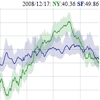
    dygraphs is an open source JavaScript library that produces produces interactive, zoomable charts of time series. It is designed to display dense data sets and enable users to explore and interpret them.

    Features

    • Plots time series without using an external server or Flash
    • Works in Internet Explorer (using excanvas)
    • Lightweight (45kb) and responsive
    • Displays values on mouseover (this makes it easily discoverable)
    • Supports error bands around data series
    • Interactive zoom
    • Adjustable averaging period
    • Can intelligently chart fractions
    • Customizable click-through actions
    • Compatible with the Google Visualization API
    • Intelligent defaults make it easy to use

    JavaScript Mindmap

    JavaScript Mindmap

    Requires jQuery for basic shortcuts ($) and stuff.Requires Raphael for drawing.jQuery UI may be used to allow draggable nodes.The basic principles of a force directed layout controlling nodes are as free as the birds in the trees.It’s relatively easy to build a mindmap. Take a collection of HTML nodes, and position them absolutely. Use a Force Directed Layout to link them together and yet keep them apart.
    Once you’ve got that, you need to add some filters, to define which nodes are properly connected. All nodes should repel, to prevent overlap, but connected nodes should have a string between them. This is where you use a springy force (hooke’s law) to pull them together.

    Drawing lines in HTML is not an easy feat. IE has/had VML, all browsers (except Android) support SVG (albeit slowly), and all except IE support Canvas. I tried using a diagonal line in a JPG, stretching it to fit. It looks daft. I then switched to Canvas, and now I’m on SVG (using Raphael to support IE VML too). So it works everywhere except Android.

    Seahorse : JavaScript library of Form validation

    Seahorse : JavaScript library of Form validation

    Seahorse is a JavaScript library, licensed as free software, created to simplify the use of forms, particularly to simplify the form validation.

    Provides functions to validate, convert and serialize information and functions to assign real-time validation behaviors to form fields.It can be used with any JavaScript framework, however, has a plugin to be used along with jQuery.

    Seahorse provides several functions for handling numbers, dates, times, e-mail, plains texts, alphabetics texts or alphanumerics texts, among others.All the functions are highly configurable, allowing to specify the range of valid values, illegal characters, formats, and, in the case of behaviors, responses to the events of loss of focus and a key pressed.Implements behaviors for real-time validation of form fields. The behaviors can prevent the entry of certain characters, change the appearance of an element after validate an entered value or invoke other functions that handle the event.

    Google Places API – practice

    Google Places API – practice

    Do you use google maps? I am sure that yes. Have you ever tried ‘Search nearby’ function here? I like this feature and today I will show you how you can develop similar script. We will use ordinary google maps plus extra library – Places (in order to use Google Places API). Our script will be able to search for address, objects, and also you can refine your search with extra params like: keyword, type and radius.