
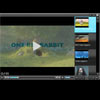
Open Standard Media (OSM) Player is an all-in-one media player for the web. It is an industry changing, open source (GPLv3) media player that is written in jQuery to dynamically deliver any type of web media, including HTML5, YouTube, Vimeo, and Flash.
Best jQuery HTML5 Plugins & Tutorials with Demo
A Snazzy Animated Pie Chart with HTML5 and jQuery
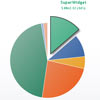
In this tutorial I’m going to show you how to build a lovely, interactive pie chart using the latest HTML5 technologies. Not that long ago, this kind of thing was only practical to do with Flash. Now, thanks to advances such as the HTML5 canvas element, we can create pretty nifty animated effects using nothing but JavaScript, CSS, and a small sprinkling of maths!
Creating a CSS3 Generator with CSS3, HTML5 and jQuery

Many of you have probably already seen some of those CSS3 generators that have been poppin’ up? Have you perhaps been wondering how they’re made? Wonder no more, that’s what we’ll be creating today, using CSS3, HTML5 and jQuery.
The CSS3 generator we will be creating is Webkit only, so make sure you open up the demo in a Webkit browser like Safari or Chrome.
BeautyTips a jQuery tooltips plugin

BeautyTips is a jQuery tooltips plugin which uses the canvas drawing element in the HTML5 spec to dynamically draw tooltips associated with a html element on the page. The thing I like best about BeautyTips is it’s limmitless ways to configure the look and feel and event triggering behavior. For example, with BeautyTips it would be relatively easy to match the tooltips used on popular websites like Netflix, Google Maps, Hulu, or Facebook.

How to Add Audio and Video on your Website using jPlayer plugin (jQuery)

Today we continue jQuery lessons, and will talk about adding customizable player for audio or video files to our website. This new plugin (jPlayer) pretty well: allow us play media files, pause, change volume, it even have all necessary controls (which you can see in any media player). Also it allow us to change all its styles (all styles of interface loceted in single css file). More, it support HTML5 and able to work quite in all possible browsers. Here are supported formats of media files: mp3, ogg, m4a, m4v, ogv, wav etc.


Shutter Effect Portfolio with jQuery and Canvas

In today’s tutorial, we will be using the HTML5 canvas element to create a simple photography portfolio, which displays a set of featured photos with a camera shutter effect. This functionality will come in the form of an easy to use jQuery plugin that you can easily incorporate into any website.


