Best jQuery Bootstrap Plugins & Tutorials with Demo

    Picture Cut : jQuery plugin that Upload Drag & Crop Image

    Picture Cut : jQuery plugin that Upload Drag & Crop Image

    Picture cut is a jquery plugin that handles images in a very friendly and simple way, with a beautiful interface based on bootstrap or jquery ui, has great features like ajax upload, drag image from explorer, image crop and others.

    Features:

    • Ajax Upload
    • Resize image
    • Drag image from explorer
    • Manipulate image size in bytes
    • Cropping image

    metisMenu : Easy menu jQuery plugin for Bootstrap

    metisMenu : Easy menu jQuery plugin for Bootstrap

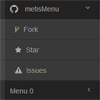
    metisMenu  is a easy menu jQuery plugin for Twitter Bootstrap 3.

    HTML 5 Upload Image, Ratio with Drag and Drop

    HTML 5 Upload Image, Ratio with Drag and Drop

    A HTML5 Upload image tool, full use of HTML5 with canvas (with fallback options). Together with a ratio and drag & drop makes this tool ideal for use in a CMS.

    Features:

    • uses canvas to crop the image, no server scripts needed!
    • want to use a server script, no problem! simple change it with additional options
    • full HTML5 support
    • save your image with AJAX or use the tradional FORM input file element
    • uses ratio to let it fit your screen or element
    • easy to use
    • additional options to configure
    • bootstrap 3.1
    • jQuery

    jQuery Validation Bootstrap Tooltip

    jQuery Validation Bootstrap Tooltip

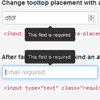
    A drop in extension replacing error labels from jQuery Validation plugin with Twitter Bootstrap tooltips.

    MegaNavbar. Advanced Navbar for Bootstrap 3.0+

    MegaNavbar. Advanced Navbar for Bootstrap 3.0+

    The MegaNavbar is a Bootstrap 3.0+ based component, that uses the standard navbar markup, and the fluid grid system from Bootstrap 3. Work for fixed and responsive layout, and has the facility to include any Bootstrap component except dropdown. MegaNavbar is compatible with mobile devices and modern web browsers.

    Features:

    • 100% Responsive Layout Design
    • Bootstrap Columns Grid based
    • Unlimited Color Schemes
    • Easy integration to any Web Projects
    • Font Awesome Icons Included
    • No additional JavaScript Required

    HTML Builder with jQuery & Bootstrap

    HTML Builder with jQuery & Bootstrap

    HTML Builder is a nifty little Javascript application which allows end-users to easily compose custom HTML designs using pre-defined HTML elements. The HTML Builder script comes with several sample HTML elements (the ones as displayed in the live demo), however the script really shines when used with your own custom HTML elements!

    Features:

    • build custom HTML pages using predefined HTML elements
    • create your own custom HTML elements with ease
    • integrates seamlessly with CSS frameworks (like Bootstrap, Foundation, etc)
    • create multiple pages in one session
    • export the created pages (incl CSS, Javascript and images)
    • basic editing of written content (only available for non IE browsers)

    Bootstrap Rating : jQuery Rating Plugin

    Bootstrap Rating : jQuery Rating Plugin

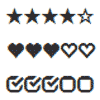
    Bootstrap Rating is a jQuery plugin that creates a rating control that uses Bootstrap glyphicons for rating symbols.

    Drag and drop form builder using bootstrap

    Drag and drop form builder using bootstrap

    I was working on a web survey type of project with a requirement that admin users should be able to build forms on the go, which will then be displayed to user to fill up and submit. while browsing i came across this nice script Formbuilder.

    drag and drop form builder is simply a interface to build your own web forms, On each move it generates json output which you can use to rebuild the html form at run time.

    Vertical Responsvive Timeline with Bootstrap

    Vertical Responsvive Timeline with Bootstrap

    In this tutorial I want to demonstrate how to build a vertical responsive timeline using Twitter Bootstrap. It’s free to use and includes many helpful styles for getting the page setup properly. Also since we’re using Bootstrap it is very simple to create a responsive effect for the vertical timeline. This effect works great on a landing page or detailed archives page.

    jQuery Bootgrid Plugin

    jQuery Bootgrid Plugin

    jQuery Bootgrid is a UI component written for jQuery and Bootstrap (Bootstrap isn’t necessarily required).A grid control especially designed for bootstrap.

    Everything you need to start quickly is:

    1. Include jQuery, jQuery Bootgrid and Bootstrap libraries in your HTML code.
    2. Define your table layout and your data columns by adding the data-column-id attribute.
    3. Then select the previously defined table element represents your data table and initialize the bootgrid plugin.
    4. Specify your data url used to fill your data table.