

Today we want to share an experiment with you that let’s you show images and content in a unique form – a wave. The idea is to initially have some smaller thumbnails rotated and placed in the shape of a sine curve. When clicking on a thumbnail, we’ll “zoom” in to see a medium sized version. Clicking again will make the large content area appear; here we will show some more content.
Best jQuery Rotate Image Plugins & Tutorials with Demo
Slicebox – A fresh 3D image slider with graceful fallback
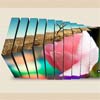
With the CSS3 3D transformations we can create some neat effects by transforming elements in three-dimensional space. Slicebox makes use of the 3D transforms properties and allows different kind of effects. The main idea is to create three-dimensional image slices that will rotate and reveal the next image as another side of the 3d object. In case the browser does not support 3D transformations, a simple slider will be used as fallback.
Bubble-Shaped Tooltips With jQuery: Grumble.js
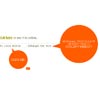
A grumble can be rotated around a given element at any angle, all 360 degrees. Any distance can be specified. Any CSS style can be applied. There’s auto-magic size adjustment for use with localised text. FX queues for animating multiple grumbles. And it works in IE6+, and modern browsers.
Analog JQuery clock

In this tutorial we will use JQuery and a plugin named jQueryRotate.The main idea behind making this watch is to rotate the three images according to the actual time tt/mm/ss. We split that time up in hours, minutes and seconds. Then use some math to convert each of the three values into an angle between 0 and 360. one for each of our three pointers. Then we use a timer function in JQuery to do that every second. That will make it look like the pointers is ticking like a real watch.
Merging Image Boxes with jQuery

Today we will show you a nice effect for images with jQuery. The idea is to have a set of rotated thumbnails that, once clicked, animate to form the selected image. You can navigate through the images with previous and next buttons and when the big image gets clicked it will scatter into the little box shaped thumbnails again.

jQuery.folderPreview

jQuery.folderPreview is a jQuery plugin that takes a series of images and positions them so that they appear within a folder graphic. This enhances the attractiveness of a browsing UI system, allowing the user to visualize the contents of the folder. Highly customizable, folderPreview scales back images, “tucks” them in behind a folder graphic using CSS positioning techniques, and rotates them slightly with a separate compatible plugin (jQuery.rotate). It can also select images to process randomly via jQuery.shuffle.
Rotating Image Slider with jQuery

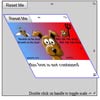
In the following tutorial we will create an asymmetrical image slider with a little twist: when sliding the pictures we will slightly rotate them and delay the sliding of each element. The unusual shape of the slider is created by some elements placement and the use of thick borders. We will also add an autoplay option and the mousewheel functionality.
We’ll use the jQuery 2D Transformation Plugin for rotating the images and the jQuery Mousewheel Plugin by Brandon Aaron for the mousewheel control.
Create Smooth Rotatable Images with CSS3 and jQuery

How to use CSS3 and jQuery to create images that can be smoothly rotated using the mouse. Full example and code download included.With the advent of CSS3 transforms, we can do some nice tricks with elements in a web page, including rotation, scaling, and skewing. Once we start throwing jQuery into the mix too, we can start doing some really nice tricks!


