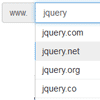
jQuery widget that uses mouseover filtering, autocomplete for rapid data entry. Has a select control that enables 1 click data entry.
Best jQuery AutoComplete Plugins & Tutorials with Demo
Tokenize : jQuery Select Multiple Items with Autocomplete

jQuery Tokenize is a plugin which allows your users to select multiple items from a predefined list or ajax, using autocompletion as they type to find each item. You may have seen a similar type of text entry when filling in the recipients field sending messages on facebook or tags on tumblr.
- Intuitive UI for selecting multiple items from a large list
- Easy to skin / style purely in css, no images required
- Supports any backend which can generate JSON, including PHP, Rails, Django, ASP.net
- Callbacks when items are added or removed from the list
- Select, delete and navigate items using the mouse or keyboard

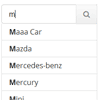

tAutocomplete : jQuery Autocomplete in the form of Table
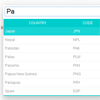
A jQuery autocomplete plugin in the form of table.One major challenge we faced in autocomplete was to display the data in a tabular format. When there are many rows of information available, it was difficult to display the relevant data of a row next to each other. This forced to develop a jQuery plugin which can display the relevant information in a table format.
Flexselect: jQuery Selectbox plugin

FlexSelect is a jQuery plugin that turns select boxes into flex-matching incremental-finding controls.
Flex matching a few keystrokes against longer strings is a boon in productivity for typists. Applications like Quicksilver, LaunchBar, and Launchy have made this method of keyboard entry a popular one. It’s time to bring this same functionality to web controls. FlexSelect does that for select boxes.
jQuery Geocodify : Autocomplete for Address Searches

jQuery Geocodify is an autocomplete plugin for address searches.
Features:
- Morph an empty form into a search box ready to auto-complete address searches using Google’s geocoder
- Handle the user’s selected location however you’d like by specifying a simple function
- Bias the results using Google’s built-in viewport and region biasing
- Tweak search strings before they’re sent and filter geocoder results before they appear
- Customize the default text, sizing and other styles