
In this article, I’ll be walking through a build demo that centers on two topics. The first is responsive design patterns that embrace the viewport and that improve content discoverability beyond the basic hyperlink; in this case, off-canvas navigation. The second is the complexities of implementing such ideas in an accessible and highly performant manner. These are two topics that I believe are at the heart of the Web’s future.
Archive for 2013
glDatePicker : ultra-simple Date Picker plug-in for jQuery

An ultra-simple, customizable, light-weight date picker plug-in for jQuery at just over 7KB compressed or 25KB uncompressed.
Features:
- Stylize current date, selected date, special dates and individual days of the week
- Set data on special dates (that is returned on callback when selected)
- Repeatable date ranges, individual dates and special dates
- Restrict selection to range of dates, individual dates, years, months and days of the week
- Restricting forward / backwards month navigation
- Automatically jump to respective month on selection (if it is the next or previous month)
- Offset days of the week (e.g. make Wednesday the first day of the week)
- Jump to specific month or year through select drop-down
- Customizable month names and days of week names
- Callbacks for when date is selected and when calendar is about to show or hide
- Individual styles per date picker on the same page
- Render directly below input control (by default) or specify a custom element to render into
jQuery Format Currency Plugin

This is a jQuery plugin for formatting currency. This library is currently localized into 211 different cultures. The formatCurrency function modifies the values or contents of a jQuery object set into a currency amount. An optional property in the jQuery selector format that will recieve the formatted version of the object set. If no destination is provided the original contents will be replaced with the formatted version.
SlideSelect : jQuery Replace your dropdowns
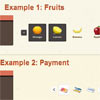
SlideSelect is a script to replace old style <select> dropdowns with a slideable, user-friendly interface. The list of options can be replaced with a list of item names, images and descriptions as you like. You dont have to change any HTML in your code, just call the function on the desired select tag to see it changed. Your forms will be kept safe as well. The script recognizes the “multiple” attribute so you can change multiple selects too. Generated select tags that have previously selected options are just as easy to change because the “selected” option attribute is also supported. You can create horizontal and vertical lists, or grids.
Features:
- Replace select dropdowns
- Custom images and descriptions
- 3 exclusive themes
- Custom theme option
- Create horizontal, vertical slides or grids
- Supports multiple selects
- Synchronizes selected options
- No new HTML to your source
- No change to your forms

PictureSlides : jQuery Slideshow Plugin

PictureSlides is a plugin for jQuery, and it is a highly customizable JavaScript-based way to easily turn your images into a collection viewable as a slideshow, and with fading effects, if desired. It can be a stand-alone slideshow or have a complete image library look with thumbnails, navigation buttons etc
uLike : Ajax content like system with jQuery

uLike is a simple and easy to install content like system. You can have a unique like button on each different content element on your page. Each like button is it’s own seperate identity and is stand alone from the others. The system is based on the content’s parent div, the ip of the user, and the page in which it’s on.
Features:
- Allow your visitors to like your content!
- Jquery Plugin utilizing Ajax & php
- Seperate like buttons for each content area you specify
- Likes are based on IP address, so, one like for one user
- Like buttons are based on parent element, ip address, and page
Minimalistic Slideshow Gallery with jQuery

In today’s tutorial we will create a simple and beautiful slideshow gallery with jQuery that can be easily integrated in your web site. The idea is to have a container with our slideshow and the options to view a grid of thumbnails, pause the slideshow, and navigate through the pictures. The thumbnail grid will slide out from the top and allow the user to navigate through a set of thumbnails.
Expanding Overlay Effect with CSS clip & jQuery

A tutorial about how to create a simple expanding overlay effect using the CSS clip property and CSS transitions. In this tutorial we want to explore the practical side of it a little bit more. We are going to create a neat and simple effect for revealing some extra content and expanding a fullscreen overlay.
We want to show how to leverage the CSS clip property to make a smooth transition when clicking on a box element. The idea is to show some kind of overlay as if it’s actually underneath the respective element. Clicking an element will create a cut-out effect, revealing another layer that will expand.
elevateZoom : jQuery Image Zoom Plugin

elevateZoom is a highly-customizable jQuery plugin for creating image-zoom interfaces with ease.It can work with a single high-quality image or two images (a thumb and a high-quality version).
The zoom window can be placed on any part of the page (or image) and there is also an option for inline-zooming which saves space.
Features:
- Fully Customisable
- Coloured Tints
- Fancybox Gallery Support
- External Controls
- Window Zoom, Lens Zoom and Inner Zoom
- Free to use under MIT and GPL Licenses


