A Jquery plugin for path animation using the Raphaël Library. Implementing this plugin is broken into two parts.Preparing your web-friendly data & Configuring lazy-line-painter.js
Archive for 2013
RoughDraft.js : jQuery Auto-generates content based on data attributes in HTML
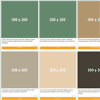
Quickly create an interactive HTML mock-up by auto sourcing lorem ipsum/images generators, with minimal html markup, and no server side code.
Auto-generates content based on data attributes in HTML.
- data-draft-repeat
- data-draft-text
- data-draft-image
- data-draft-date
Allows developers to quickly mockup a design using minimal HTML markup + JS, without server side scripting, and without having to navigate to image/text lorem ipsum generators.
jQuery Smart Responsive Menu with CSS3
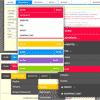
Smart Responsive Menu is powerful dropdown menu solution that will work with mobile devices and different screen sizes. Menu relies on CSS media queries to modify menu display for different resolutions. By default, plugin changes paddings and font sizes for screen resolution higher than 480px. For less than 480px, menu changes from horizontal navigation into vertical and gets hidden behind the menu item.
Styling Effects:
- Gradient: with three different gradient styles
- Rounded: with one class for the rounded display
- Box Shadow: with one class for the shadow
- Text Shadow: with two classes for different shadows
- Transitions: with five different transition effects
- Menu Links: with three types of characters and arrows
jQuery Modification Highlighter Widget
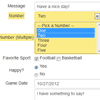
jQuery widget that you can use to keep track of input-able values within a container and highlight those columns that have been modified. Allows modified columns to be reset to their original values.
The jQuery Modification Highlighter widget can be applied on an HTML container (such as a DIV tag). It assigns a “change” event to each inputable element, such as an input or textarea element, and keeps track of the columns original value and whether or not column has been modified. If the column has been modified, the column and optionally any associated label is highlighted. If the column is changed back to its original value, the highlight is removed. The widget also contains methods which allow your application to reset columns back to their original value as well as apply pending changes as the new original values (as would be needed on a form save).
How to Make a Tumblr-powered News Ticker in jQuery

Tumblr is a blogging service with an elegant interface for creating and publishing content. In this tutorial, we are going to use it as the foundation of a news publishing system. We are going to develop a simple widget which cycles through the most recent posts on a Tumblr blog, and presents them as news items to your users. Adding news will be done by creating new blog posts in your Tumblr dashboard.
The code we are writing will be organized as a jQuery plugin, which will make it portable and easy to embed in an existing website. When the plugin is run, it will request the latest posts from your blog with AJAX
box2d : jQuery Convert your DOM into Physical objects

jquery.box2d.js is a simple jquery plugin that transforms DOM elements into actual physical objects. well, physical in a flat 2d-browser-world.In Short about box2d :
- we clone the selected DOM elements into absolute possitioned … well … clones.
- we animate them via dynamically (javascript styly) set CSS3 transforms / translate / rotate combos
- the values for this CSS/javascript mambo-jumbo are calculted via box2d-web
jquery.spidergraph : Interactive HTML5 Spider Graph module for jQuery

jquery.spidergraph is a simple module that creates nice looking, interactive spidergraphs in HTML5, using the canvas element.
Features:
- illustrating scaled quantitative data for several subjective attributes
- overlaying multiple data measurements for attribute comparison
- visualizing the intersection of several data measurements