This script pulls events that you create in your public Google calendar and displays them on your website.You may choose how many events to display at a time.Each event box can show the event start date-time, timezone, location of the event, summary and description of the event.Each event box has a link to the original event you defined in your calendar.
Archive for 2013
zTree : jQuery Tree Plugin
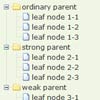
zTree is a multi-functional “tree plug-ins.” based on jQuery. The main advantages of zTree includes excellent performance, flexible configuration, and the combination of multiple functions.
Features:
- The code of zTree v3.x has been seperated according to the various functions. You can only load the code you need.
- zTree v3.x uses delay loading technique, which can easily load tens of thousands of nodes in seconds even in IE6 browser.
- Support for JSON data.
- Support for static and asynchronous data loading node.
- Replace the skin / custom icon flexibllly.
- Support extremely flexible checkbox or radio selection function.
- Flexible editing (add / delete / change / search) functions, such as drag and drop nodes,you can even drag and drop multiple nodes.
- To enhance performance, zTree transforms the js & css structure to provide excellent browser compatibility and make the development more easily
Interactive Infographic with SVG and CSS Animations
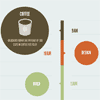
Learn how to build an interactive animated infographic using SVG, CSS and JavaScript.One of the less talked about features of newer browsers is increasing support for the SVG file format. If you are unfamiliar with SVG, it stands for Scalable Vector Graphics. Unlike raster image formats like PNG, JPG or GIF, the vector graphics contained within SVG files are completely scalable to any size and will display at any resolution or screen density without quality loss. In many cases, SVG files will also be much smaller in filesize and download quicker.
With the right techniques and modern browser support, developers can now produce some pretty impressive animations, effects and interactions using SVG. Today we will explore the possibilities of SVG and test the capabilities of modern browsers by creating an interactive vector infographic for the web.
Vertu : Simple Mega Menu with jQuery, Html5 & CSS3

Vertu – Simple Mega Menu is simple and easy mega menu with many functions.
Features:
- Multi-Functional Menu
- 4 levels drop down horizontal menu
- Easy to change structure via CSS
- Simple menu construction
- Metro Style Menu
- Cross Browser Support
- Clean Code
- Include HTML5/CSS3 and JavaScript file
- Beautiful Contact Form
jtwt.js : A simple jQuery plugin for the twitter JSON API

jtwt.js is an easy-to-use jQuery plugin that allows you to display your recent tweets on your website or elsewhere.jtwt.js comes with a bunch of options to create the best experience for your users.
jtwt.js is contributed under the Creative Commons Attribution 3.0 Unported license. You’re free to use jtwt.js in personal and commercial projects.

Countable.js : live word-counting in JavaScript

Countable is a JavaScript function to add live paragraph-, word- and character-counting to an HTML element. Countable does not rely on any libraries and is very small in size.
Countable takes the value from an HTML element and counts paragraphs, words and characters (without and with spaces). Those numbers are then returned in an object, accessible by a single parameter in the callback function.
Thumbnail Grid with Expanding Preview in jQuery & CSS
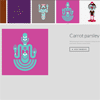
A tutorial on how to create a thumbnail grid with an expanding image preview similar to the effect seen on Google Images.If you have searched images on Google recently, you might have noticed the interesting expanding preview for a larger image when you click on a thumbnail. It’s a really nice effect and it is very practical, making a search much easier. Today we want to show you how to create a similar effect on a thumbnail grid. The idea is to open a preview when clicking on a thumbnail and to show a larger image and some other content like a title, a description and a link.
The interesting part is to calculate the correct preview height and to scroll the page to the right position. We’ll expand the preview in a way so that we can see the respective thumbnail row and cover the rest of the remaining page. Note that we don’t use very large images for the preview in the demo so you might see a lot of empty space on large monitors.