

Master Slider is a premium image and content slider with super smooth hardware accelerated transitions. It supports touch navigation with pure swipe gesture that you have never experienced before. It’s a truly responsive and device friendly slider which works perfect in all major devices. Master Slider is an awesome layer slider as well, with the ability of adding any html contents (texts, images, …) in layers. It is easy to use, plus there are 25+ ready to use templates available for you. You almost have everything in Master slider which is the most complete among the best, hotspots, thumbnails, variety of effects, Video support and much more.
Archive for 2013




Responsive and Animated jQuery Bubble
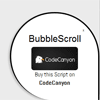
jQuery Bubble Scroll is an easy-to-integrate navigation asset that you can use on your website to display any kind of usefull informations. There are two types of layout (square or circle) and you can put it to the left or to the right of the screen.
Features:
- Display any kind of usefull informations with HTML and CSS.
- Responsive : Bootstrap is NOT required (however, you can use it with no problem).
- Different display styles available (circle, square).
- Different positions (left or right).
- Use cookies or not when the user closes the bubble.
- Appears on scroll but can also be always visible on the screen.
- Easy to integrate.
- Simple to customize (different colors, border colors, backgrounds…)
jQuery Cropbox plugin

jQuery plugin for in-place image cropping (zoom & pan, as opposed to select and drag).
This plugin depends only on jQuery. If either Hammer.js or jquery.hammer.js is loaded, the cropbox plugin will support gestures for panning and zooming the cropbox. Similary, if the jquery.mousewheel.js plugin is loaded, then the cropbox plugin will support zoom in & out using the mousewheel. All dependencies on third party libraries (other than jQuery) are strictly optional. Support for CommonJS and AMD loading is built in.
In browsers that support the HTML5 FIle API and Canvas API, the cropbox plugin provides mehtods to crop the image on the client and obtain the resulting cropped image as a Data URL or a binary blob to upload it to the server.


