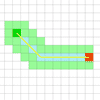
A comprehensive path-finding library for grid based games.The aim of this project is to provide a path-finding library that can be easily incorporated into web games. It may run on Node.js or the browser.
Archive for 2013

mySlide : jQuery slideshow on your website using Google+ album

mySlide is a jquery plugin that will create a slideshow on your website using images from a particular google plus album. All you have to do is specify that google album in your javascript. You may also add a link url in the caption field of your image in the google+ albums interface. When you do that, the slideshow image will have a link to that URL. Hence when users click on that image in the slideshow, they will be redirected to your custom URL.
Facebook Style Video Url Expander with jQuery & PHP

Today I am going to share facebook style url expanding videos using jQuery & PHP. This script will take Youtube, Vimeo, SoundCloud, Metacafe, & Dailymotion video url as input and it will return a video as output with automatically fetch the title & description of the respective video.
jQuery Product Filtering and Categorization

Elegant way of product filtering and categorization. Easily editable json driven structure with smooth effects and visualisation.
Features:
- Json driven readable database
- Full screen or limited usage
- Includes two themes as grey and sephia and psd files
- Runtime image loading for performance
- Commented and qualified javascript code with JSLint
Tumbax : Display Tumblr feeds on your website – jQuery plugin

Now you can show your business feeds / news / simple notifications on your website with Tumbax plugin. All you need to do is, have you business updates in your tumbl blog and install this plugin on your site. Tumbax will pull your Tumblr feeds and display them on your website in a stylish view which is fully customizable.
Thus you can use Tumblr as a service to display your business updates for clients and users. The view is highly customizable; you can show it as a Timeline (2-column) or as a Pin View (3 or more columns) or a single column view.
jQuery birdseye : Plugin for moving-map search

A plugin for moving-map search, like on Yelp or Airbnb. Built with jQuery and Leaflet.
jQuery Birdseye is a plugin for replicating the “search in map” functionality of Yelp/Airbnb/Google using the API of your choosing. With a small bit of setup, you can have the sweet, mapsearchy goodness that these sites do, at a fraction of the cost.
Smooth Diagonal Fade Gallery with CSS3 Transitions & jQuery

In this tutorial we are going to create a gallery with a smooth diagonal fade effect, powered by css3 transitions. It will scan a folder with photos on the server and display them in a grid that spans the entire browser window. Adding new photos is as easy as copying two files (a regular image and a thumbnail, preferably 150×150 px) to the gallery folder.
CSS3 capable browsers will show a smoothly animated diagonal fade effect, while older browsers will fall back to a simpler but still perfectly usable non-animated version of the gallery.