Clock-like timepicker for Twitter Bootstrap.
Archive for 2013

jQuery Canned Text Input

jQuery plugin that allows you to add custom tags to a text area to quickly enter form letter data.You will notice that once a canned text entry has been made, it automatically expands to the full text of the canned text and highlights the first tab stop for you to start typing into immediately (side note: the textarea also scrolls to the tab stop…if necessary). From there you can make your entry and press the tab key to either be a) taken to the next tab stop; or b) taken on to the next input on the page.
elementTransitions.js : jQuery CSS3 Transitions Effect Plugin
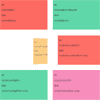
This repository is a wrapper around the code provided by a codrops article on page transitions. Their code has been modified to allow more than one animatable element per page. Additionally, you can now add transitions straight from html tags.
Ultimate Google Web Fonts – code generator

Ultimate Google Web Fonts code generator is a tool that allows you to instantly access all of Google’s open source web fonts, preview and generate code to use them with any website, regarding of technology used (PHP, Joomla, Magento, ROR, pure HTML, ASP.net, etc). List of available fonts is updated from Google automatically, and currently there are more than 650 fonts to choose from.
With its unique system for previewing fonts on any website, it is fun and easy to use. You can take full control over typography in your site in a matter of minutes.
Features:
- Live, instant preview of any Google Web font with any site
- Top-notch performance: only 1 css file and one style block for any number of fonts added
- Supports all available font variants (e.g. light, bold, italic, black, etc.)
- Allows additional custom CSS for each font (e.g. red color, etc.)
- Ajaxed, easy interface
- Loads a list of fonts automatically
Slimmage : Sane & Simple Responsive Images

Your wait for a sane, easily managed path to responsive images has now ended.With Slimmage, CSS controls which image size is downloaded, not HTML
Features:
- Media queries, breakpoints, nested percentages, &
max-widthwork as expected. - Works on > 99% of browsers. 3KB minified vanilla js, 1.5KB compressed.
- Cookie-free; works on first page load. Works with CDNs.
- Fully accessible; degrades gracefully without javascript
- Massive bandwidth reduction. No duplicate requests. Can auto-enable WebP and adjust compression based on pixel density
- Works with any RIAPI-compliant backend. ImageResizer is preferred.
Strength.js : Ultimate jQuery password input plugin
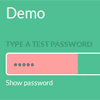
The ultimate jQuery password input plugin. Featuring secure strength indicator and hide/show password.
Strength.js provides a toggle feature for password input fields that allows the user to view or asterisk the password. It also features a strength indicator to show how secure a users password is.
Controlling History: the HTML5 History API with jQuery

Today we’re going to look at a way to keep a sense of consistency on your website by maintaining the state of some elements even when the user navigates through history. We’re effectively going to create history-inactive areas which remain in the same state while the rest of the document is navigable.
This technique effectively allows ‘selective’ loading of elements. Effectively, if the user clicks a link or presses the back button, instead of loading the whole page (most of which stays constant, like script and stylesheets), we will only load the stuff that changes, i.e. the content. By doing this we save load times There are two main reasons why you would want to only load certain elements when your user uses the back and forward button to navigate through history. This cuts out all the unnecessaries and creates a faster web experience.
Easiest Way to Retrieve Twitter Timeline with PHP & jQuery

Twitter terminated its old API, and all of our Twitter tutorials have stopped working! So, here is a follow up to show you how easy is it to retrieve user timeline and hashtag with Twitter REST API 1.1. Of course, I don’t just stop there. I integrated my previously written script and modified it to work with Grid-A-Licious plugin to create something that’s similar with Pinterest.